EdgeMarc 250AE Hardware Installation Guide
14 © 2014 Edgewater Networks. All Rights Reserved.
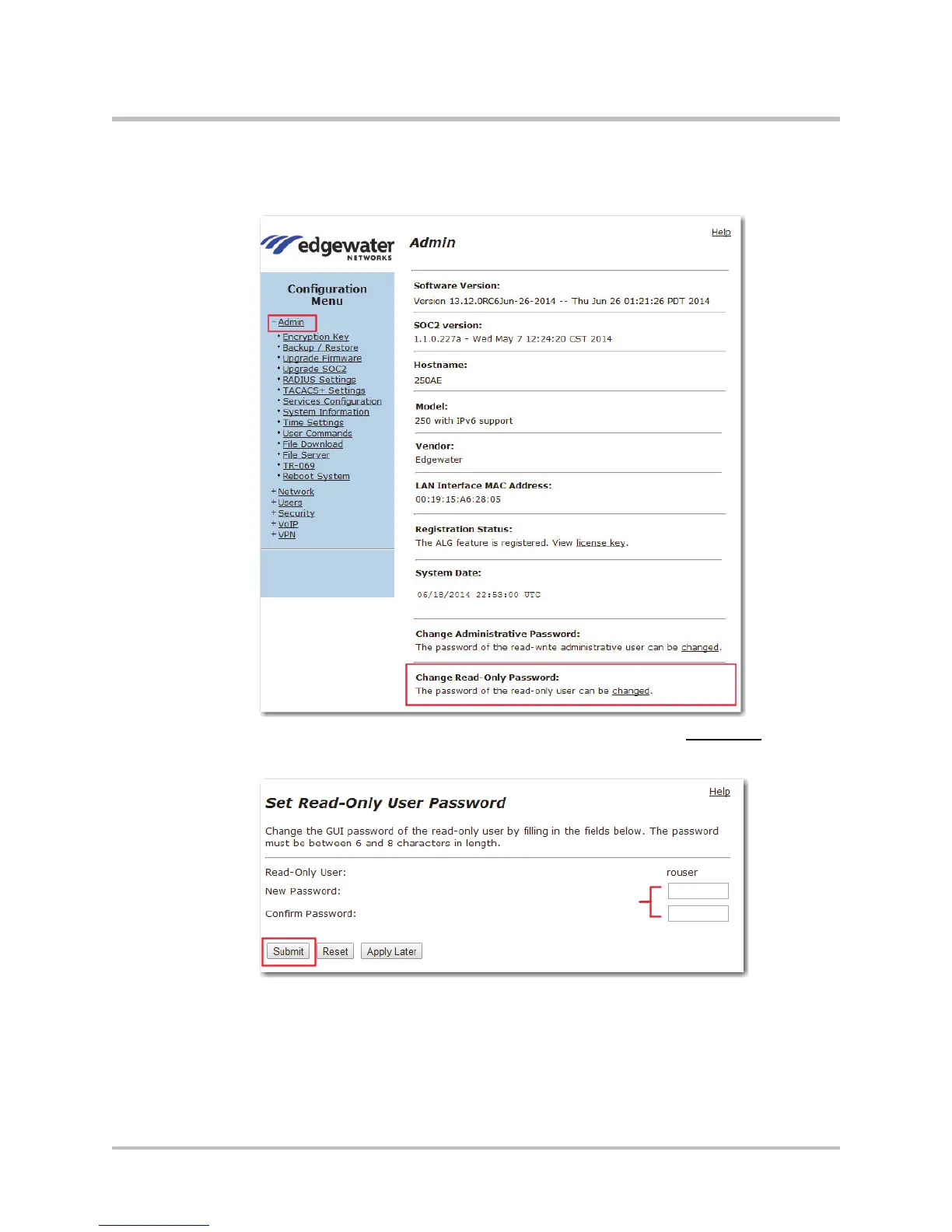
Changing the Read-Only Password
1. Choose Admin from the Configuration Menu.
2. Scroll to Change Read-Only Password and click Changed to open
the Set Read-Only User Password page.
3. In the New Password field, enter a new password between six and
eight characters long and that contains at least one non-repeating
number.
4. Re-enter the new password in the Confirm Password field.
5. Click Submit.


 To Next Page