4
• Exchange rate: up to 5, 5 Mb/s;
• Frequency band: 0,1-6 kHz;
• Signal-to-noise ratio: 72 dB;
• Built-in microphone sensitivity: 7–9 m;
• Storage life of built-in ash memory: up to
10 years;
• Battery: AAA;
• Operating temperature range: 0–40 ºС;
• Dimensions: 94х13х13 mm;
• Weight (battery not included): 16 g;
•
Operating lifetime: 5 years.
(The manufacturer
reserves the right to refuse in repair after the expiration
of recorder operation life)
Starting and Testing the Recorder
Recording.
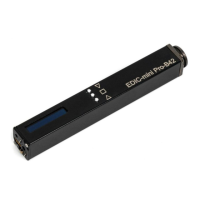
Insert the battery. Push the button (position 8).
After a short pause the Recorder will go to “Rec”
mode, the display showing “Rec” icon. Red LED
(position 3) will start ashing. To stop recording
push the button (position 8).
Playing back with Headphone
To playback the record push the button (position 9).
The display will read “Play record”. Push the button


 To Next Page