8
Playing Back and Uploading to the PC
Use EMPlus program to play back and upload
records onto the PC as well as to congure your
recorder. SoundProcessor program is designed to
process the transferred records and to facilitate the
conversion of records to text.
Both programs including the instructions are in
the built-in memory of the recorder and operate
under Windows XP (SP2, SP3) / Vista/7/8. Newer
versions are always available on the website
http://www.ts-market.com
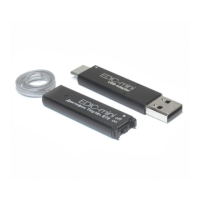
1. Connect USB adapter to the recorder,
then to the PC. Red and green LEDs are
briey on the adapter. Windows recognizes
a new removable drive. It is very important
to observe the connection sequence:
Recorder→USB adapter→PC
2. Run the EMPlus program from the
recognized removable drive. The content
of the recorder is on the left side of the
window. Select the desired record.
3. To play back select the record and press
the Play button at the bottom of the left


 To Next Page