10
Removing printed cards
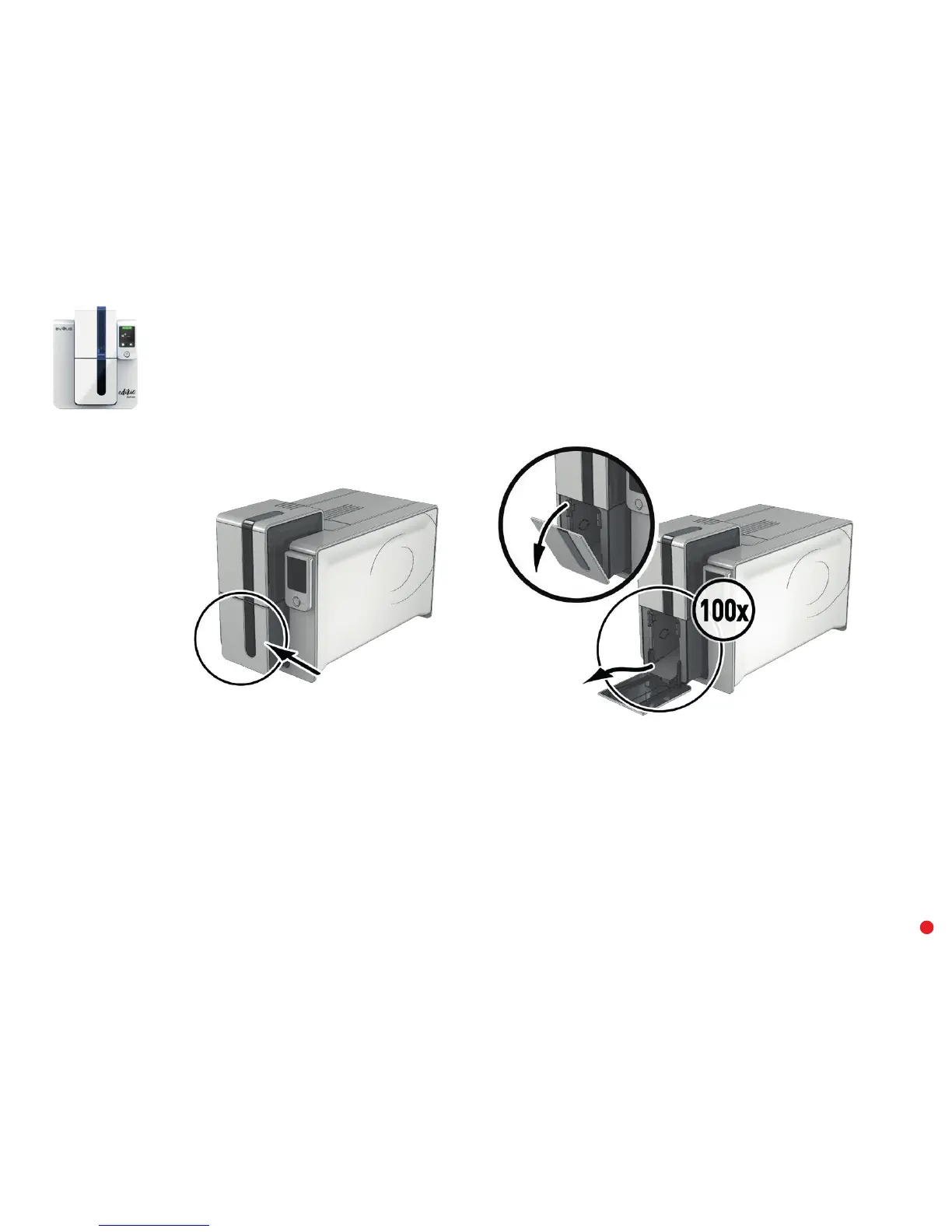
Once the print cycle is complete, the cards are issued into the output hopper below the card feeder. This output hopper is designed to collect the
printed cards. The printer is equipped with an output hopper with a maximum capacity of 100 x 0.76 mm cards.
Adjusting the card thickness
The printer is equipped with a manual card thickness adjustment system which can be reached through the feeder when it is open. The printer
accepts cards between 0.25 mm and 1.25 mm thick (10 to 50 mil). The factory setting for card thickness is 0.76 mm.


 To Next Page