22
ADVANCED CLEANING
For a deeper clean, we recommend carrying out an advanced clean every 5 routine cleaning cycles.
To do this, we provide accessories and cleaning kits from the Evolis High Trust
®
brand, which are available from your Edikio by Evolis reseller. The "T"
shaped card is used to clean the card feed rollers. Follow the steps below for advanced cleaning.
Printer servicing
Recommended cleaning cycle: every 5 routine cleaning cycles.
Servicing accessory: alcohol-soaked "T" shaped card and adhesive card.
NOTE
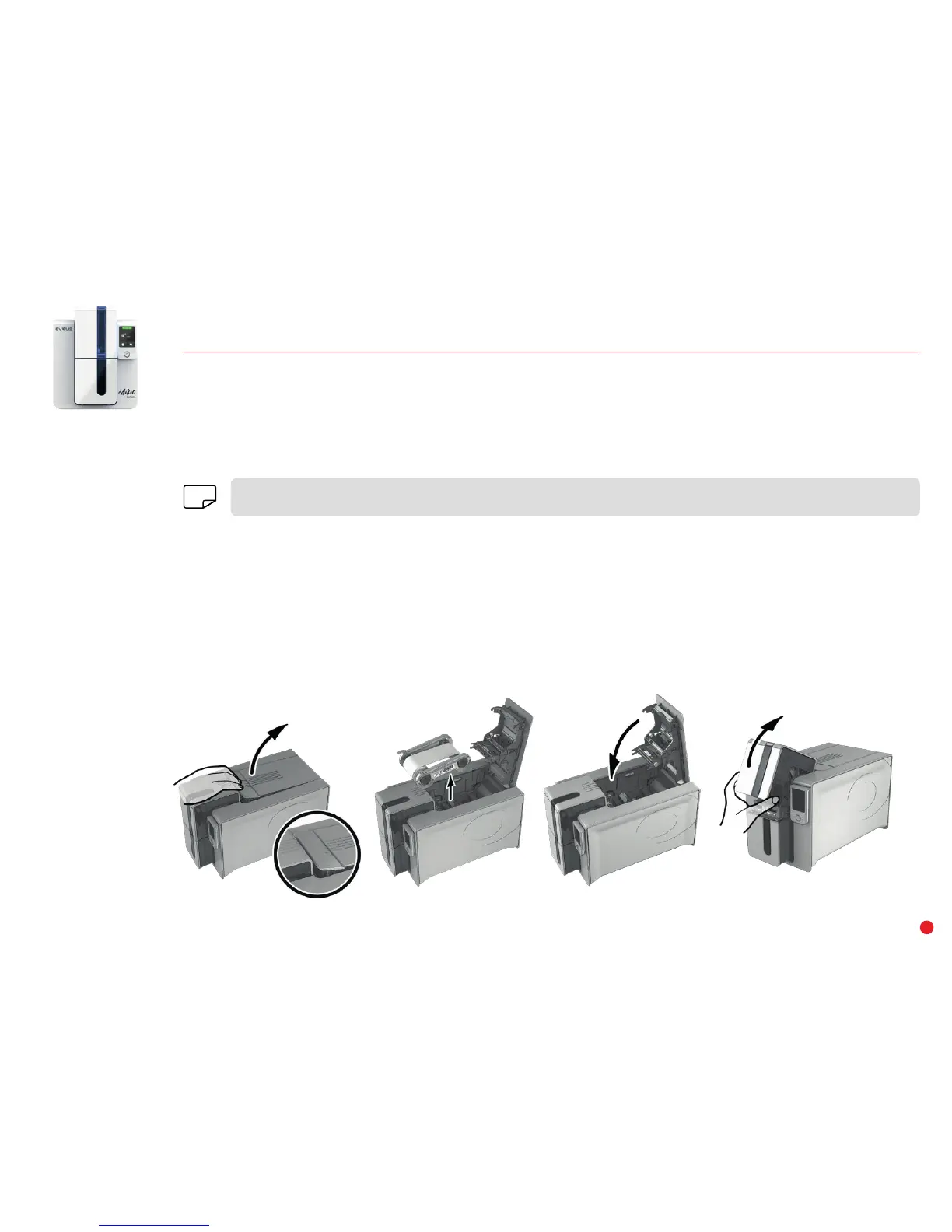
Follow the procedure below:
1 Open the printer cover.
2 Remove the ribbon as shown on the diagram.
3 Close the cover and make sure it has clicked shut.
4 Open the card feeder.
1 2 3 4


 To Next Page