3
II-1. Windows
Driver Installation
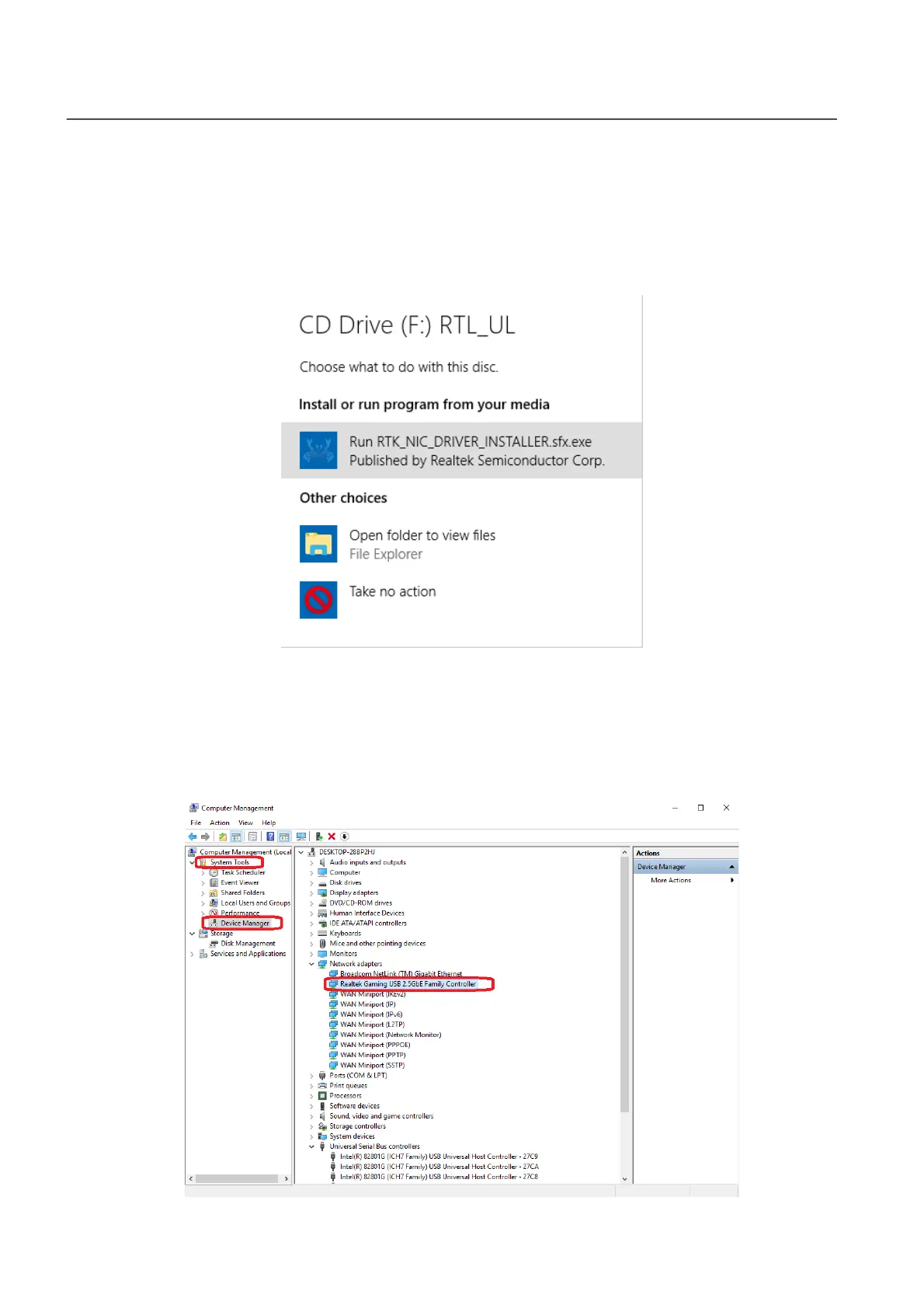
1. Connect the Ethernet Adapter to an available USB type C port of your
computer. Double click to run the installer.
2. The driver will then be installed automatically. Opens up Computer
Management, click “System Tools”, “Device Manager”, then “Network
adapters”, “Realtek Gaming USB 2.5GbE Family Controller” should appear
if the driver is installed successfully.



 To Next Page