4
II-2. Mac OS
Driver Installation
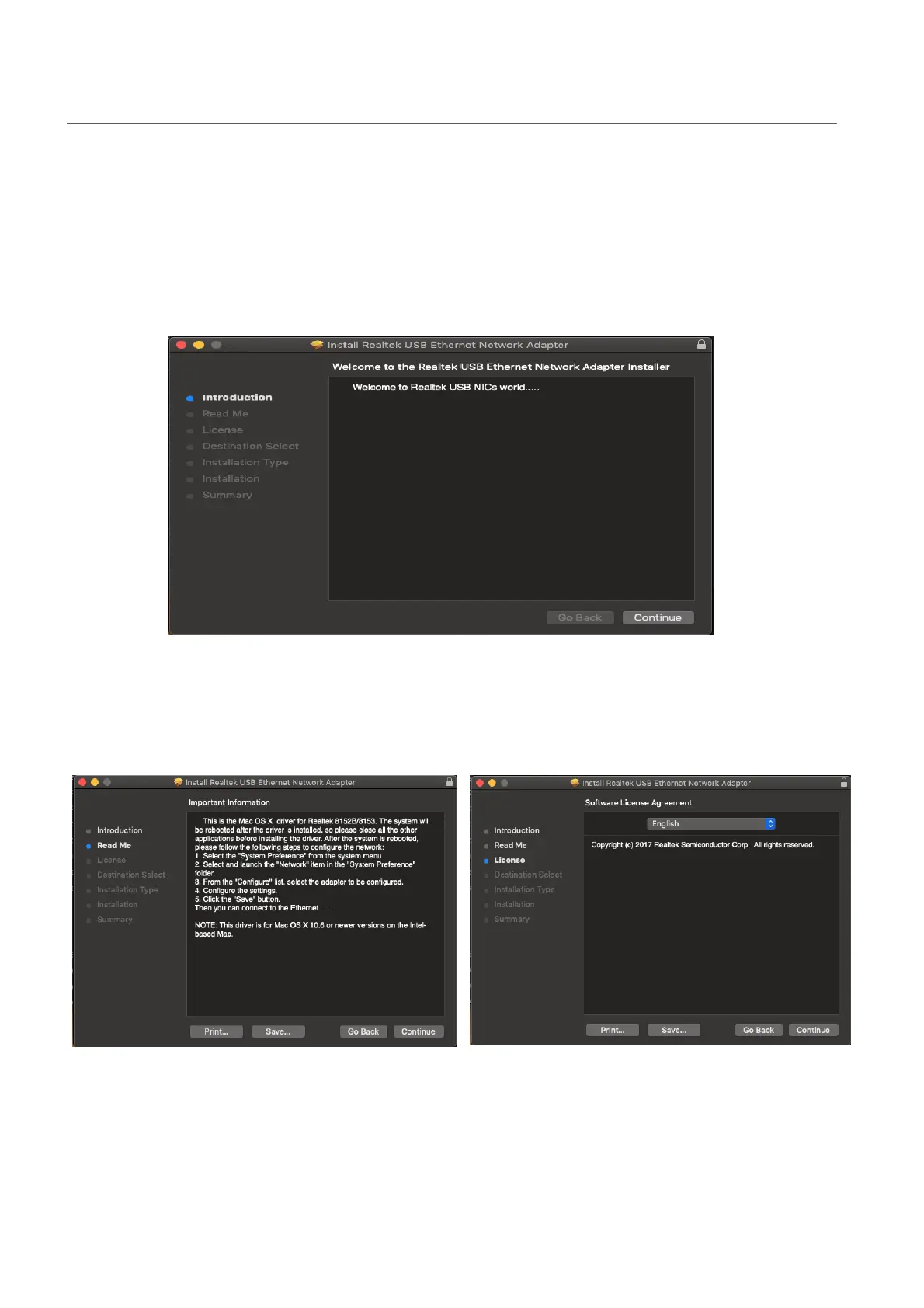
1. Enter the MAC OS 10.6 to 10.13 folder and click the “RTUNICvx.x.x.pkg”
(“x.x.x” is driver revision number), and the following driver setup dialog
will appear. “Click Continue” to start the installation and follow the
instructions to continue the installation.
2. Click “Continue” to read the Read Me interface, choose the language,
accept the software license agreement, and then continue the installation
process.



 To Next Page