39
Getting connected and installing drivers (Windows)
■ Windows 98 users
1
Open Control Panel.
Click the Windows Start button, and from the menu that appears, select
Settings | Control Panel.
2
Open the Multimedia Properties dialog box.
In Control Panel, double-click the Multimedia icon to open the "Multimedia
Properties" dialog box.
3
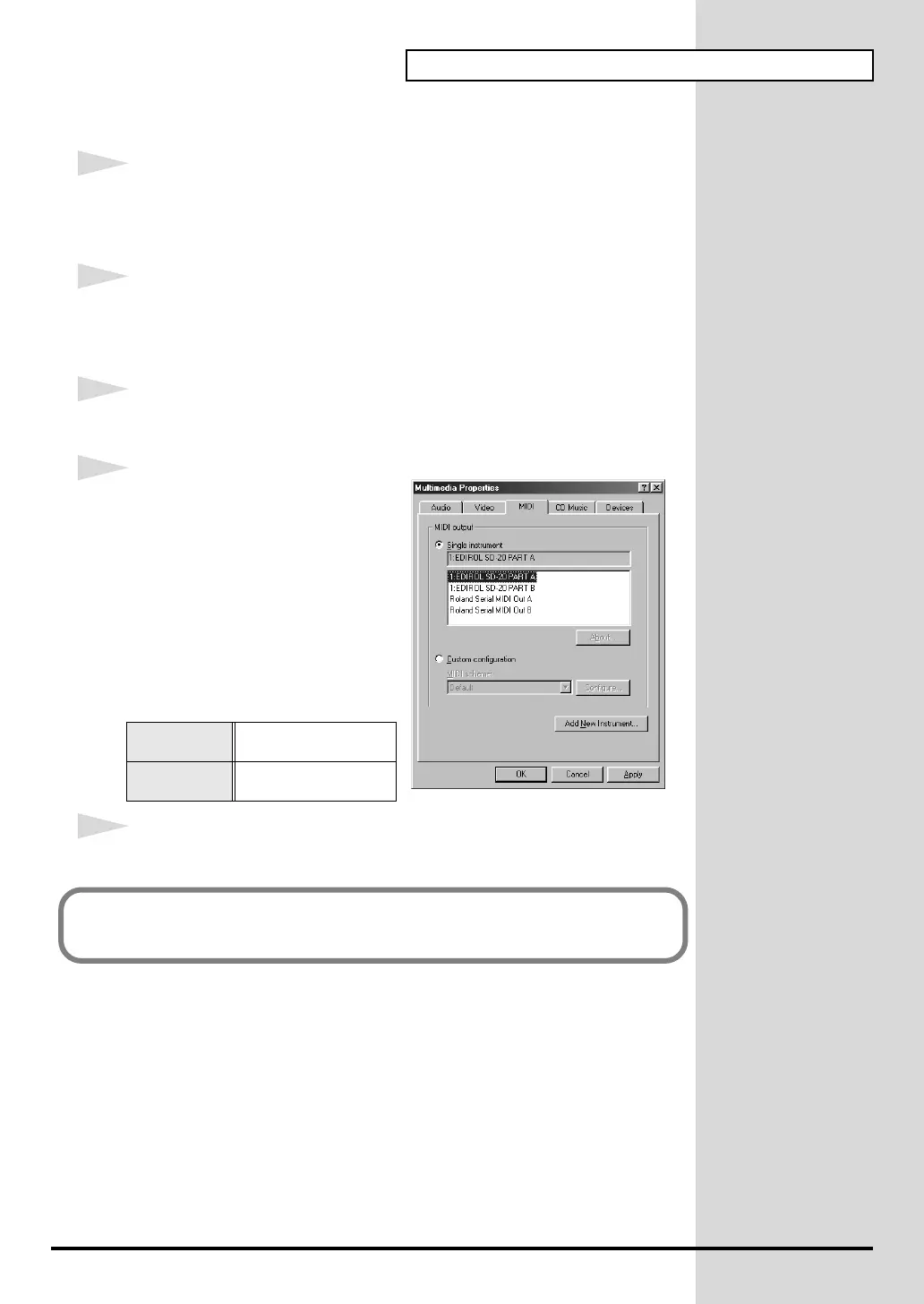
Click the MIDI tab.
fig.2-29_30
4
Set "MIDI output."
Select [Single instrument], and
choose one of the following from the
list that appears.
5
Click OK to complete the settings.
For a USB
connection
EDIROL SD-20
PART A
For a serial
connection
Roland Serial MIDI
Out A
Proceed to the following page.
(-> Checking for sound output (p. 41))


 To Next Page
 Loading...

