4K Ultra HD Camera With Autofocus User Manual
9
6.3 Internet Connection
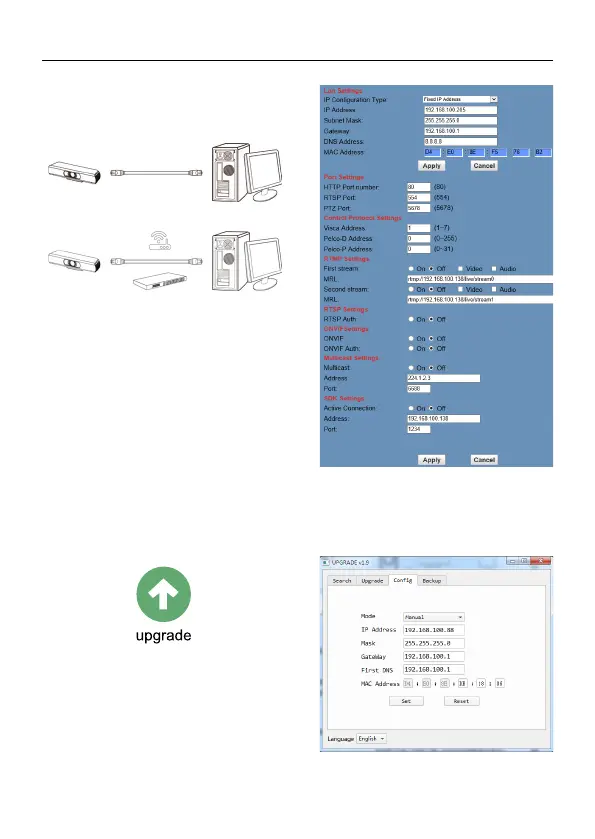
There are two main ways to connect
network camera.
Connect by Network Cable
Connect by Switch/Router
6.4 IP camera controlled by LAN
6.4.1 Setup IP address
The IP camera default IP address is
“192.168.100.88”. Unknow camera IP, view
as below:
Method 1: Use the remote control to transfer
out the OSD menu, and go to the
information page to see the IP address.
Method 2: connect camera to PC with
network cable, use “upgrade_En.exe” to
search for IP address.
Change IP address, two methods as below:
Method 1: Login the web page, select
“Network > Lan Settings”, change IP
address. Click “Apply” then restart camera.
Method 2: Open “upgrade_En.exe”, change
IP and click “Set”. After modified, IP Camera
will be restart.



 To Next Page