4K Ultra HD Camera With Autofocus User Manual
10
The default IP address of camera is
“192.168.100.88”.
The default username and password are
“admin”.
6.4.2 Visit/Access IP Camera
Input http://192.168.100.88 to IE (better with
IE web browser, others will cause little
latency), a login window pop up, input login
name: admin, password: admin, shown as
below:
After login, shown as below:
If user first time use this camera by internet
(only for new user),must install a player
software (VLC). Please go to VLC website
http://www.videolan.org/vlc/#download and
Install VLC (player software).After
installation, login again, will show as above.
6.5 Camera Controlled by WAN
6.5.1 Setup IPC controlled by
dynamic DNS
Two dynamic DNS available: Dyndns.org,
3322.org
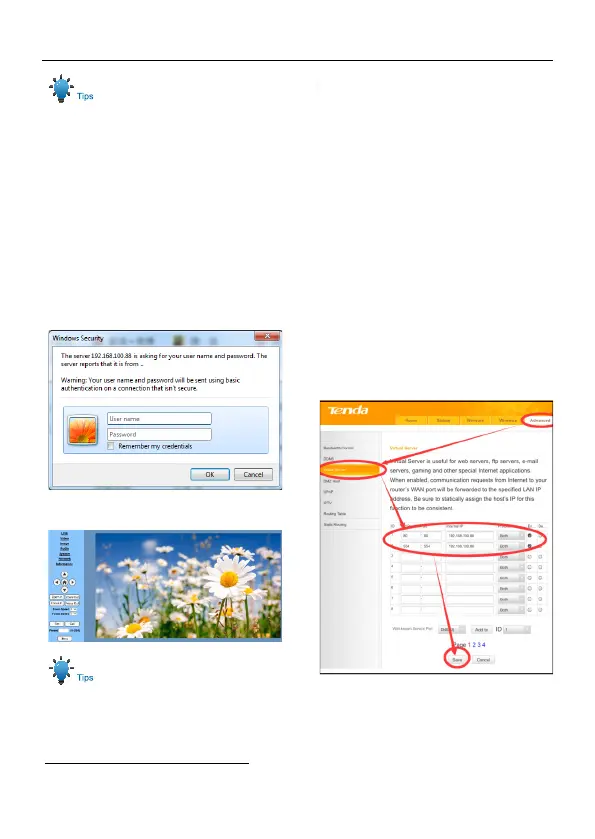
Router Port Mapping:
Take Tenda router for example, enter
Router Home Page (interface page), select
“Advanced”- “Virtual Server”, add a new port
number in “Ext Port”, add a new port
number in “Int port”, put camera IP address
to “Internal IP”, then select “Save”, shown
as below:
6.5.2 Dynamic DNS visit camera
Set domain name to camera, setup the
parameter, then dynamic DNS can access
camera. Access link: http://hostname: port



 To Next Page