DCP 350 Direct Card Printer
Matica System S.p.a.
Italy
Phone: + 39 02 922 72501
Email: info@maticasystem.com
FIN/DCP350/QUICKSTARTGUIDE/ENG/V1.1
Information in this Document is subject to change without prior notice. All rights reserved. Copyright 2011 Digital Identification Solutions AG,
Esslingen/Germany.
IDExpert® and EDIsecure® are registered trademarks of Digital Identification Solutions AG. All other trademarks, tradenames, service names are trade-
marks or registered trademarks of their respective owners
Digital Identication Solutions AG
Germany
Phone: + 49 711 341 689 - 0
Email: mail@digital-identification.com
Digital Identication Solutions Pte. Ltd.
Singapore 757718
Phone: + 65 6352 8364
Email: mail@sg.digital-identification.com
Digital Identication Solutions (Branch)
Dubai, United Arab Emirates
Phone: + 971 4 299 4146
Email: mail@uae.digital-identification.com
Digital Identication Solutions (Beijing) Co. Ltd.
P.R. China
Phone: + 86 10 6437 4376
Email: mail@cn.digital-identification.com
Digital Identication Solutions LLC
United States of America
Phone: + 1 864 272 1199
Email: mail@us.digital-identification.com
vps ID Systems GmbH
Germany
Phone: + 49 7243 5488 - 0
Email: info@vps.de
Digital Identication Solutions S. de R.L. de C.V.
México
Phone: + 52 442 2171 768 - 0
Email: mail@mx.digital-identification.com
www.digital-identication.com
EDIsecure® DCP 350 Direct Card Printer / Power Adaptor / Power Cord / USB Cable /
Ribbon Cartridge (included in Printer) / Quick Start Guide (this document) / Software Installation CD
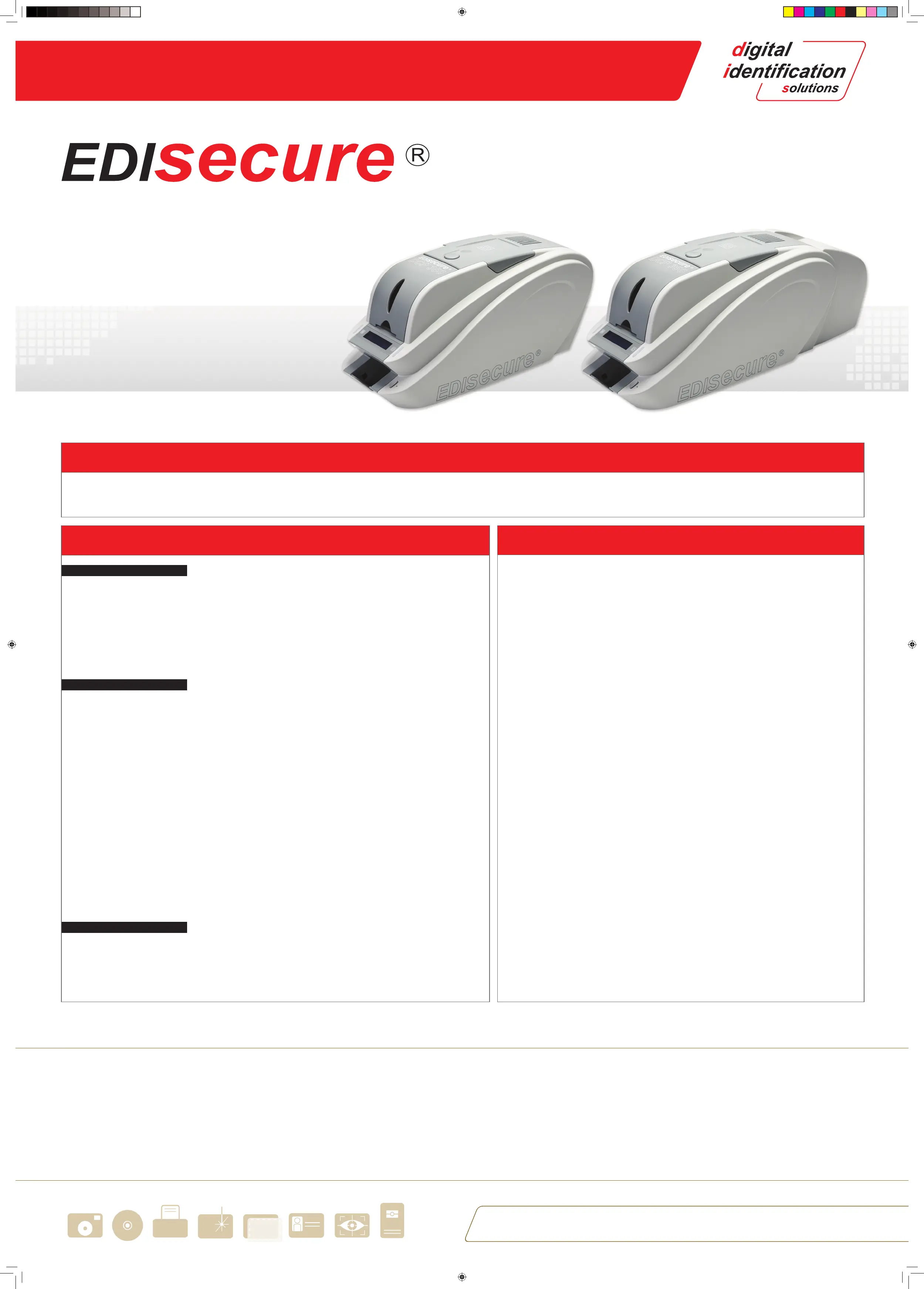
EDIsecure® DCP 350
EDIsecure® DCP 350 with Flipper Module
Available Options, Ribbons and Accessories Approvals and Safty Instuructions
Content of printer package
THERE IS ONE FOR EVERYBODY
Federal Communications Commission (FCC) Statement
This equipment has been tested and found to comply with the limits for a Class B digital device, pursuant to part
15 of the FCC rules. These limits are designed to provide reasonable protection against harmful interference when
the equipment is operated in a commercial environment. This equipment generates, uses, and can radiate radio
frequency energy and, if not installed and used in accordance with the instruction manual, may cause harmful
interference in which case the user will be required to correct the interference at his own expense.
Canadian Department of Communications Statement
This digital apparatus does not exceed the Class B limits for radio noise emissions from digital apparatus set out
in the Radio Interference Regulations of the Canadian Department of Communications. Le présent appareil nu-
mérique n’ément pas de bruits radioélectriques dépassant les limites applicable aux appareils numériques de la
class B prescrites dans le Règlement sur le brouillage radioélectrique édicté par le ministère des Communications
du Canada.
The Product Covered by this Declaration
EDIsecure® DCP350 Printer
The Basis on which conformity is being declared
The product identied above complies with the requirements by meeting the following standards
EMC Generic Emission Standard
EN 55024:1998+A1:2001+A2:2003
EN 301 489-1 V1.6.1
EN 301 489-3 V1.4.1
Safety of Information Technology Equipment including Electrical Business Equipment
EN 60950-1:2006+A11:2009
Safty Instructions
Please read all of these instructions before using your printer and refer to the User’s Manual.
• To prevent electric shock do not remove covers.
• Do not attempt to service the printer yourself.
• There are no user serviceable parts inside. In the event of malfunction, refer servicing to your nearest Digital Iden-
tication Solutions service center.
• Use only a power source within the limits marked on the AC adaptor power supply.
• Avoid spilling any liquid on the printer.
• The originally delivered power supply and power cord is to be used only.
When handling the printer
Avoid touching the thermal printing edge of the thermal print head. Grease and contamination will shorten its life.
Before transporting the printer, pack the printer in its original packing.
Accessory Text
In case of need for cleaning accessories, card materials or consumables please contact your dealer or your nearest
Digital Identication Solutions oce.
www.digital-identication.com
Order # Description
DIH10560 EDIsecure® DCP 350 / Single Side Direct Card Printer
DIH10561 EDIsecure® DCP 350 Ethernet Option
DIH10563 EDIsecure® DCP 350 Magnetic Stripe Option
DIH10564 EDIsecure® DCP 350 Smart Card Encoder
DIH10565 EDIsecure® DCP 350 Contactless Encoder
DIH10562 EDIsecure® DCP 350 Flipper Module
Order # Description
DIC10570 EDIsecure® DCP 350 Color Pro Ribbon, 5 Panel (Y,M,C,K,OP);250 c/r
DIC10571 EDIsecure® DCP 350 Color Pro Ribbon, 6 Panel (Y,M,C,K,OP,K);200 c/r
DIC10572 EDIsecure® DCP 350 Color Pro Ribbon, 5 Half Panel (Y,M,C,K,OP);350c/r
DIC10573 EDIsecure® DCP 350 Color Pro Ribbon, 6 Panel (Y,M,C,UV,K,OP);200 c/r
DIC10575 EDIsecure® DCP 350 Metallic Pro Silver Ribbon, (MS);1200 c/r
DIC10576 EDIsecure® DCP 350 Metallic Pro Gold Ribbon, (MG);1200 c/r
DIC10574 EDIsecure® DCP 350 Monochrome Pro Ribbon, (K);1200 c/r
DIC10577 EDIsecure® DCP 350 Monochrome Pro White Ribbon, (W);1200 c/r
DIC10578 EDIsecure® DCP 350 Monochrome Pro Blue Ribbon, (B);1200 c/r
DIC10579 EDIsecure® DCP 350 Monochrome Pro Red Ribbon, (R);1200 c/r
DIC10569 EDIsecure® DCP 350 Monochrome Pro Scratch-o Ribbon, (SC);1200 c/r
DIC10580 EDIsecure® DCP 350 Color Ribbon, 5 Panel (Y,M,C,K,OP);250 c/r
DIC10581 EDIsecure® DCP 350 Color Ribbon, 6 Panel (Y,M,C,K,OP,K);200 c/r
DIC10583 EDIsecure® DCP 350 Color Ribbon, 6 Panel (Y,M,C,UV,K,OP);200 c/r
DIC10585 EDIsecure® DCP 350 Monochrome Ribbon, 2 Panel (K,OP);600 c/r
DIC10584 EDIsecure® DCP 350 Monochrome Ribbon, (K);1200 c/r
Order # Description
DIC10586 Long Sleeve Cleaning (x5)
DIC10587 Cleaning Roller (x10)
DIC10311 Magnetic Head Cleaning Card (x10)
Quick_Start_guide_DCP350_A2_V1-1.indd 2 12.01.2012 14:55:27


 To Previous Page
 Loading...

