
 Need help?
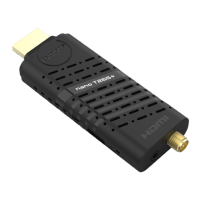
Do you have a question about the Edision nano T265+ and is the answer not in the manual?
Essential guidelines for safe operation and maintenance of the device.
Details the buttons and functions of the remote control unit.
Provides step-by-step instructions for initial setup and power-on.
Lists the technical specifications and supported formats of the receiver.
Introduction to the online program guide with OSD menu and recording scheduling.
Displays current and upcoming programs for channels in the 'Now EPG' view.
Presents program information in a table format, organized chronologically.
Explains how to use the Timer menu to schedule recordings for programs.
Details the configurable settings for scheduling recordings, like event, channel, date, and duration.
Guide to scanning for terrestrial DVB-T/T2 channels.
Guide to scanning for cable DVB-C channels.
Details settings for DVB-C scanning, including TP Index, Frequency, and QAM.
How to configure channel lists, move, lock, delete, rename, and skip channels.
Procedure to lock specific channels, requiring a password for access.
Instructions on how to remove channels from the channel list.
Process for adding channels to custom favourite lists for easy access.
How to remove channels from a selected favourites list.
Configure menu language, audio, subtitles, and Teletext language.
Requirements for software upgrade, including USB memory module.
Step-by-step guide to updating the receiver's software via USB or HDD.
Instructions for updating the receiver's software via the internet (HTTP).
Details how to set up time-supported recording entries (Timers).
Restrict access to menus using a PIN code.
Specify whether individual channels can be locked.
Configure network settings, including Wi-Fi connection.
Steps to select an SSID and set the Wi-Fi password.
 General
| Ethernet | No |
|---|---|
| Resolution | 1080p, 1080i, 720p, 576p, 576i |
| Connectivity | HDMI |
| Codec Support | H.265/HEVC |
| Features | Software update via USB |
| Input | ANT IN |
| Output | HDMI |
| Tuner | DVB-T2/C |
| USB | USB 2.0 |

 To Next Page