1
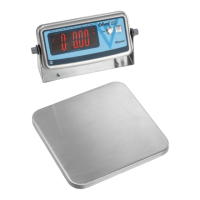
Electronic Portion Control Scale
MODEL EDL-10
Capacity
Platform Size
Overall Size
Power Source
10 lbs. x 0.1 oz/10 lbs. x 0.005 lbs/10 lbs. x 1/8 oz./5000 g x 1 g
160 oz x 0.05 oz./160 oz. x 1/8 oz.
6-3/4" x 6"
7" x 9" x 2-1/4"
120 volts AC, 60 HZ/230 volts, 50 HZ Output: 9 volt DC 1.0 A
- Not Legal for Trade -
Operating instructions:
The EDL model scale operates on 4 AA batteries, or a 9-volt power supply, or an optional rechargeable battery
pack. To charge the rechargeable battery pack, simply plug in the power supply. The charging indicator symbol in
the bottom right hand corner of the display will appear indicating the battery is being charged. The scale has an
automatic power off feature (which can be programmed to 120 sec., 240 sec., 360 sec., 720 sec., or off) if a battery is
used which will shut the scale off if no weighing operation is performed.
To install the battery, turn the scale over, open the battery box cover and install batteries (observing polarity), and
close the cover. If the power supply is used, plug the adapter into the connector on the side of the scale and plug the
power supply into a wall outlet.
Turn on the scale by depressing the “on/off” switch. Scale readout will show all 8’s for approximately 5 seconds
and then the zero reading. If the scale is overloaded a series of horizontal lines will be displayed. If a load is placed
on the scale platform, the weight of this load is shown on the scale display in the units in which the scale is weighing.
This load can now be “tared out” i.e. shown as zero on the scale display, by depressing the “Tare” switch. If an
additional load is then placed on the platform, the weight of this additional load can also be “tared out” by
depressing the “Tare” switch. This tare operation can now be repeated up to the capacity of the scale.
If the total load is now removed from the platform, the weight of the total load will be shown as a negative value on
the scale display. This negative value can now be removed from the display by depressing the “Tare” switch.
Depressing the “on/off” switch at any time to turn off the scale.

 Need help?
 General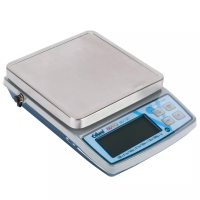

 To Next Page