User ’ s Manual Wireless USB Adapter
19
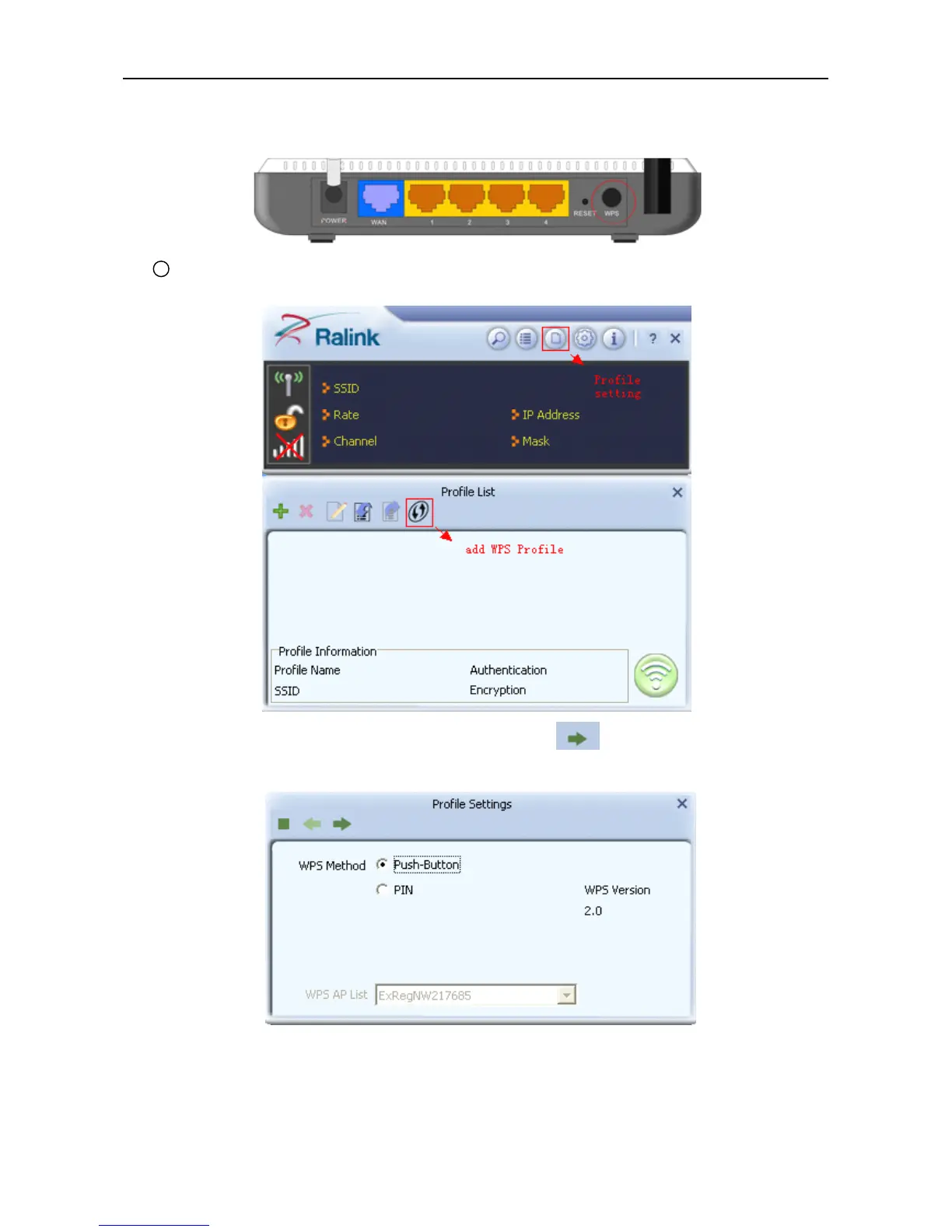
router ’ s WPS status indicator led starts to flash that router WPS is already enabled.You can also visit the
router ’ s Web settings page to enable the PBC mode.
1 Use Ralink Utility to connect .
a. Start-up Ralink Utility ,click the “ Profile setting ” icon and then select ” add WPS Profile ” button.
b. Select “ Push-Button ” WPS Method.and then press to next.
c. When the router ’ s WPS status indicator led starts to flash and then click “ Start PBC ” button in
two minutes.



 To Next Page