90
MV-2506-01-2023
.
eeese-aircare.com © All rights reserved by eeese air care ApS
UK
Auto timer o setting will be cancelled if the timer button is pressed 2 times in 5
seconds.
Auto timer o setting will be cancelled if the unit is switched o and switch on
again.
Humidity Setting [ Up and Down buttons ]
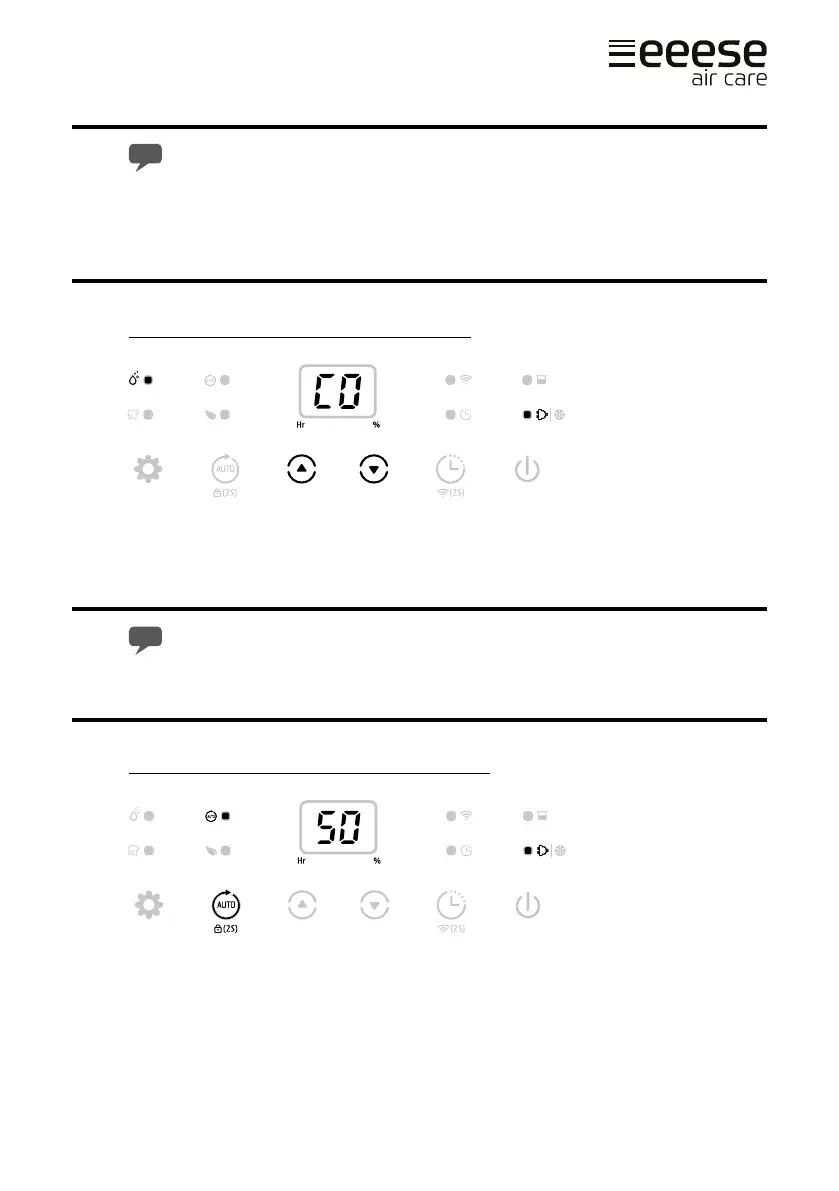
Press the humidity setting buttons (A or B) to select your preferred humidity from CO-
30%-35%-40%-45%-50%-55%-60%-65%-70%-75%-80%-CO. CO means continuous dehu-
midifying regardless of ambient humidity.
The display C shows actual humidity in the room. Pressing A or B shows what the
unit is set to dehumidify.
Auto Dehumidifying Function [ Auto button ]
Press the auto button (A) to select the Auto Dehumidifying mode, the unit runs automati-
cally accordance to the ambient humidity detected below:
A B
A
C


 To Next Page