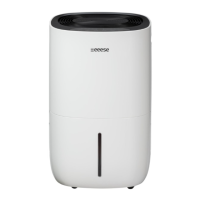
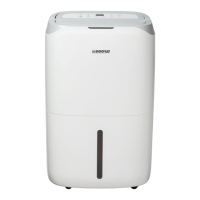
This document is a user manual for the Eeeese Dehumidifier Carl, model Art. 2506. It provides comprehensive information on the device's functions, technical specifications, usage, and maintenance.
The Eeeese Dehumidifier Carl is an indoor appliance designed for dehumidifying and air purifying in private homes. It uses R290 refrigerant, which is flammable, and users are warned about the risk of harmful gas and fire if the refrigerant leaks and comes into contact with a heating element. The product complies with applicable EU directives.
Function Description:
The primary function of the Dehumidifier Carl is to remove excess moisture from the air, thereby improving indoor air quality and preventing issues related to high humidity. It offers several operating modes:
- Manual Dehumidifying Mode: The unit runs continuously with low fan speed by default, allowing users to set a preferred humidity level.
- Auto Dehumidifying Mode: The unit automatically adjusts its operation based on the ambient humidity detected.
- If ambient RH% > 60%, the compressor works with high fan speed.
- If 40% ≤ RH% ≤ 60%, the compressor works with low fan speed.
- If RH% < 40%, the unit stops working.
- Laundry Drying Mode: The unit runs in continuous dehumidification with high fan speed for 6 hours, then switches off automatically. The timer function is not available in this mode.
- Air Purifying Mode: The unit runs with fan speed without dehumidifying. The tri-color humidity light remains on, reflecting the environment's humidity (Red: RH% ≥ 65%, Green: 55% ≤ RH% ≤ 65%, Yellow: RH% < 55%), helping users decide if dehumidifying or humidifying is needed.
The device also features a Low Temperature Defrost Indicator. When the ambient temperature is too low, the dehumidifier enters defrost mode, running with high fan speed without dehumidifying, and the work indicator flashes.
Important Technical Specifications (Model Carl, Item No. 2506):
- Max working area: 120 m²
- Recommended working area: 2-85 m²
- WiFi: Yes
- Filter: HEPA
- Timer: 1-24 hours
- Operating air temperature: 5~35 °C
- Dehumidification capacity (Air 30°C, RH 80%): 25 l/day
- Dehumidification capacity (Air 27°C, RH 60%): 15 l/day
- Power consumption (Air 35°C, RH 80%): 400 W
- Power consumption (Air 27°C, RH 60%): 280 W
- Rated power (Air 30°C, RH 80%): 0.11~0.73 kW
- Rated current (Air 35°C, RH 80%): 1.80 A
- Rated current (Air 27°C, RH 60%): 1.30 A
- Power supply: 220V-240/50 Hz
- Sound level: 46 dB (A)
- Air flow: 180 m³/h
- Tank volume: 6.5 L
- Refrigerant: 0.08 kg R290
- Compressor: Rotary
- Dimension (WXDXH): 360 x 285 x 564 mm
- Drain Hose Diameter: 19 mm
- Drain hose included: Yes
- Length of cable: 180 cm
- Net weight: 14.5 kg
Usage Features:
- Control Panel: The device features a control panel with various indicators and buttons:
- Laundry Drying Indicator
- Manual Dehumidifying Indicator
- Air Purifying Indicator
- Auto Dehumidifying Indicator
- Humidity Level display
- Timer Button
- WiFi Indicator
- Work Indicator
- Full Tank Indicator
- Defrost Indicator
- On/Off Button
- Auto Button/Child Lock Button
- Up and Down Button (for humidity setting)
- Mode Button
- Power On/Off: Press the power button once to turn on. The unit defaults to manual continuous dehumidifying with low fan speed. Press again to turn off; the fan will continue for some seconds to blow out hot air.
- Timer Function: Users can set an automatic shut-off timer from 00 to 24 hours. Pressing the timer button twice within 5 seconds or switching the unit off and on again will cancel the timer setting.
- Humidity Setting: Use the Up and Down buttons to select a preferred humidity level from CO (continuous dehumidifying) to 30%-80%. The display shows the actual room humidity, and pressing the Up/Down buttons temporarily shows the set humidity.
- Continuous Drainage: For continuous drainage, a 19mm inner diameter drainage pipe can be inserted through the drainage outlet. The pipe must go downhill and not be blocked or kinked.
- Auto Shut-off with Water Tank Full Indicator: The unit enters standby mode when the water tank is full or not installed properly. After emptying or correctly installing the tank, the unit resumes its previous mode. All buttons except the power button are invalid when the tank is full.
- WiFi Function: Press the Timer button for 2 seconds to activate WiFi and enter network mode. The WiFi indicator flashes quickly during configuration and stays on when connected. Pressing the timer button for some seconds in network mode disconnects WiFi. Detailed instructions are in the "Smart Connection Operation Guide" section, which involves downloading the "TuyaSmart" app and following on-screen prompts for device binding.
- Safety Childlock Function: Press the Auto button for 2 seconds to lock all buttons with a beeping sound. The same action unlocks it. This function can be set in standby or working mode but not when the water tank is full.
- Memory Function:
- If unplugged or power is cut, the dehumidifier will resume the mode prior to shutdown with the timer setting kept when reconnected.
- If switched off and on via the power button, it will resume the prior mode, but the timer setting will be cancelled.
- If switched off and unplugged, then reconnected and switched on, it will run in factory preset mode.
Maintenance Features:
- Cleaning:
- Turn off and unplug the unit before cleaning.
- Clean the cabinet with a soft, dry cloth. For heavy dirt, use a mild detergent and a slightly damp cloth. Never spray water on the unit.
- Remove the filter grill (B) and clean it with a vacuum cleaner or soapy water (no hotter than 40°C).
- Rinse and dry the filter grill completely before reinstalling.
- HEPA Filter Replacement: The HEPA filter (A) cannot be cleaned and needs to be replaced once a year to ensure sufficient dehumidifying and air purifying efficiency.
- Filter Grill Cleaning: When used regularly, the filter grill should be cleaned at least every two weeks.
- Storage: For extended storage, unplug the unit, clean the air filter, ensure the device is in perfect condition, store it in appropriate packaging, and keep it in a dust-free place, out of direct sunlight, preferably covered with plastic.
Troubleshooting and Error Codes:
The manual provides a troubleshooting guide for common issues like the device not working, low water removal capacity, insufficient humidity reduction, warm air blowing out, display not showing set humidity, water on the floor, and noisy operation. It also lists display error codes:
- E1 (Temperature sensor error): Flashes every 30 seconds. Dehumidifier works normally.
- E2 (Humidity sensor error): Flashes every 30 seconds. Dehumidifier works normally, but humidity cannot be set.
- L3 (Air inlet temperature is too high ≥42°C): Slow flash L3. Compressor stops, fan works at low speed. If temperature decreases below 40°C, it resumes normal operation.
- L4 (Air inlet temperature is too low ≤0°C): Slow flash L4. Compressor stops, fan works at low speed. If temperature increases above 2°C, it resumes normal operation.
Users are advised to contact their local distributor for error codes and not to attempt repairs themselves.
Warranty:
The product comes with a two-year warranty on all parts for defects in materials and workmanship from the date of purchase. The compressor has a six-year guarantee. The warranty covers material or manufacturing defects preventing normal installation or operation, with defective parts being replaced or repaired. It does not cover transportation damage, misuse, incorrect assembly, impact, frost cracking, improper storage, or user modifications. The manufacturer's liability is limited to the repair or replacement of defective parts and excludes labor, transportation costs, and other materials for repair. The warranty is void if the unit is not installed, operated, or maintained according to the manual, or if non-factory authorized parts are used. For warranty claims, a valid purchase receipt must be presented.


 To Next Page
 General