EN
Sharing Photos & Videos from AiMOR to a
Frame
- 06 -
The AiMOR App
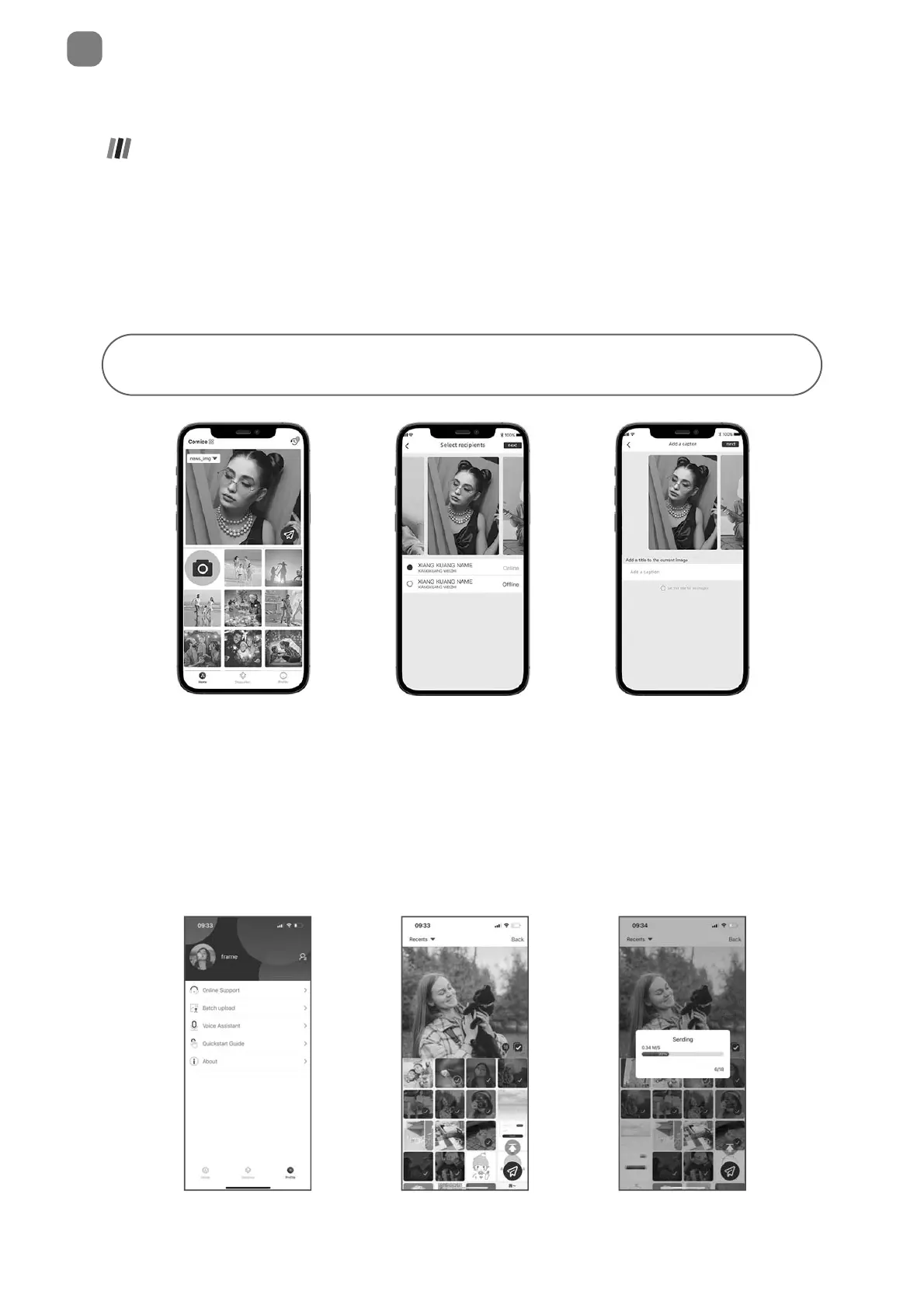
Write a caption to send
with the image
Choose one or more
recipients
Take a photo or video or
select one or more from
your albums
Once you have connected to a frame on the mobile app, you can select photos and
videos to share to the frame. If sharing from your gallery, you can send up to 9 photos
at a time or send one short video (up to 15 seconds). You can also take photos or video
directly in the app.
Batch upload
When your phone and photo frame are connected to the same WiFi network, you can batch
upload photos.



 To Next Page