Pagina 12 di 28
12. DIGITAL CONTROL
12.1 START-UP SCREEN
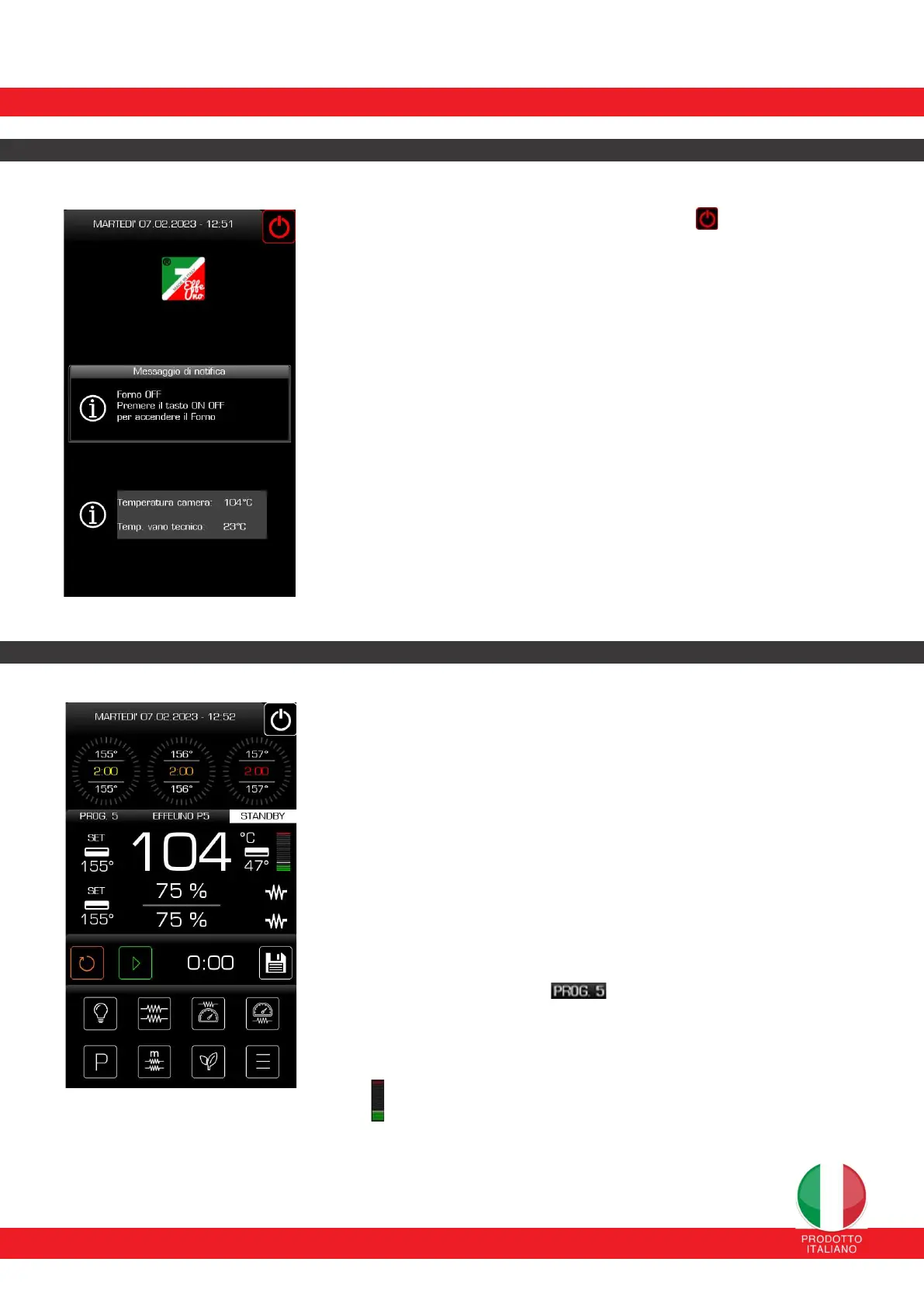
To turn the oven on, tap and hold the ON/OFF switch on the top
right (for at least 4 seconds).
In this way the oven will go into stadby mode: it is now in operation but
waiting for commands and the light is off. In fact, i twill be in the 0 MANUAL
program.
The main screen displays the following information :
Current date and time on the top bar.
Status of the oven (cooling or not) or any activated alarm.
Current temperatures of the oven and technical compartment. These
temperatures may be influenced by the temperature of the environment in
which the oven is located.
12.2 MAIN SCREEN
From the main screen it is possible to check the current status of the different
components of the oven and to activate the controls and adjustments most frequently
used by the user.
The main screen displays the following information:
The current date and time and the oven switch-off command are
on the upper bar.
Phase indicator. Users can set from a minimum of 1 (one) to a maximum
of 3 (three) cooking phases. The settings for temperature, time, power
distribution percentage for the upper and lower heating elements are
shown for each phase.
The current program and current mode. When the oven
is turned on, it is in standby mode (waiting for a command).
Temperature unit of measurement (°C or F).
Current temperature indicator for the upper element with
reference to the temperature set on the set-point.
It offers a clear visual indication of the progress toward the set
point power percentage. Once reached, the entire bar turns red.


 To Next Page
 Loading...