Pagina 15 di 28
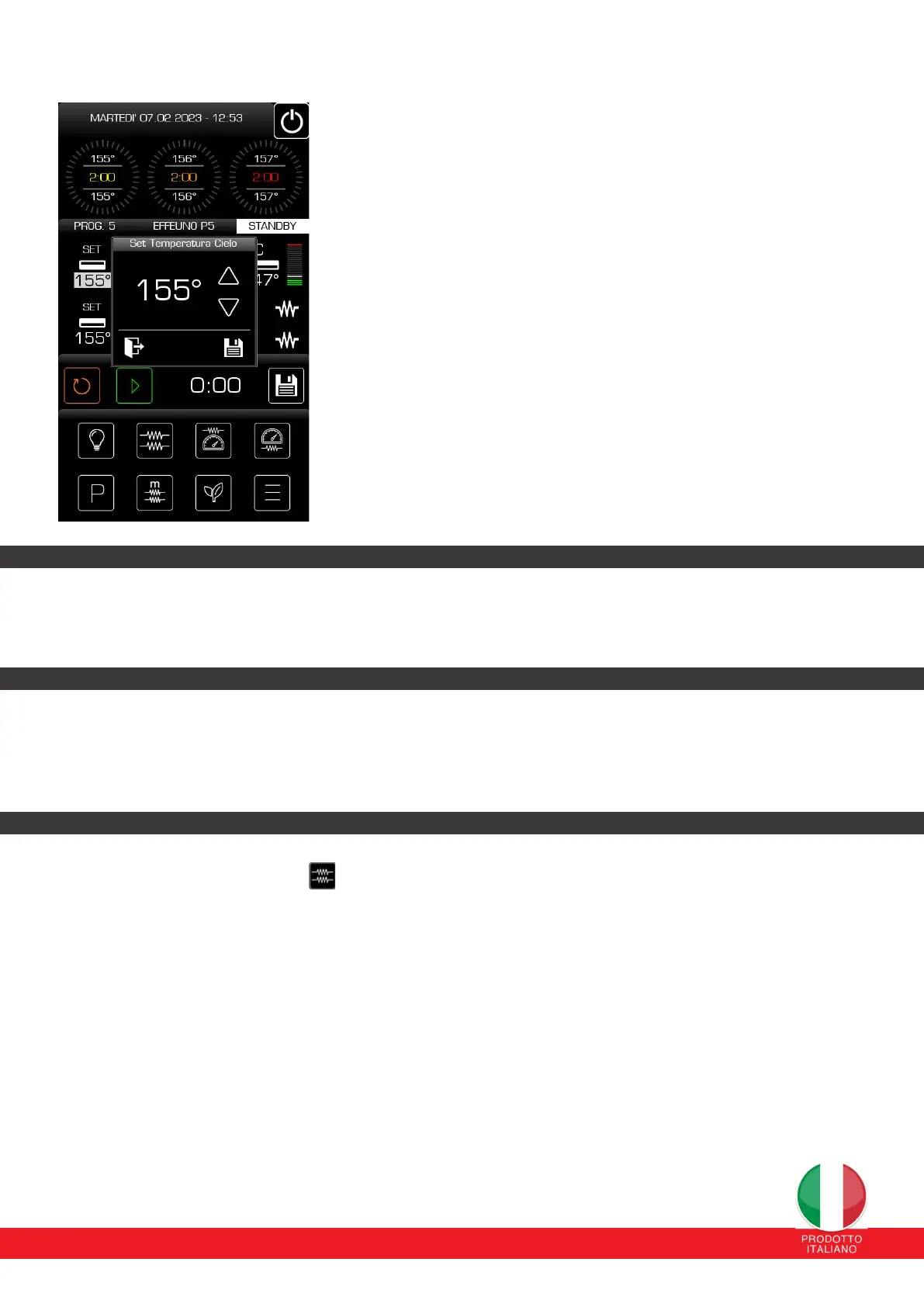
The quikest and easier settings to save as follows:
1. Percentage of sky power and percentage of floor power, by pressing
on the percentages
2. Top/cooking chamber and bottom temperature set-point, by
pressing on the Temperature set-point
3. Cooking timer (by pressing the phase indicator).
12.2.1 SKY/ROOM TEMPERATURE SET-POINT
From the main page it is possible to set the sky temperature set-point, even in the case of preloaded programs.
From the programs page it is possible to set the ceiling/cooking chamber temperature value of the individual programs.
In the case of a manual program, this change will also be automatically saved in memory.
12.2.2 POWER PERCENTAGE TOP/OVEN ROOM
From the main page it is possible to set the sky/camera power percentage, even in the case of preloaded
programs.
In the case of a manual program, this change will also be automatically saved in memory. The minimum
percentage that can be set is 5%, the maximum 100%.
12.2.3 PREHEAT MODE FUNCTIONALITY (PREHEAT)
By pressing the respective button ,the system varies the percentages of the ceiling and floor with the
preheating percentages set for the respective program (the percentages will be displayed in orange and cannot
be edited from the first page). With the MANUAL program, pressing the PREHEATING button changes the
percentages of top and bottom set by default by the parent company.
It is not possible to change the preheating parameters when it has already been activated and running. When
this mode is started, the relevant button turns orange.
The mode is automatically deactivated 5°C before reaching the temperature set-point and switches to the
Maintenance state or it can be deactivated by pressing the Preheat button again.
The preheating mode cannot be activated if the temperature difference between the set-point and that of the current
top/chamber is less than 6°C, because the oven is already ready for the Maintenance state and therefore does not need
preheating .
If you necessarily want to start preheating, we recommend opening the oven door for a few seconds/minutes so that the
temperature drops and the temperature difference exceeds 6 °C.


 To Next Page
 Loading...