EFILive AutoCal Customer Quick Start Guide
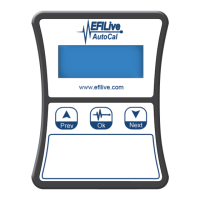
AutoCal Package Contents
The contents of your AutoCal product may vary due to be supplied directly from your
tuner or parts supplier. At a minimum your AutoCal will be shipped with:
• EFILive AutoCal hardware device.
• EFILive OBDII cable (J1962-A to RJ45). Used to hook to Truck
• EFILive USB cable (USB-A to USB-B). Used to hook to computer
Registering AutoCal
Your AutoCal product must be registered to activate the product warranty. Product
registration and warranty information can be entered on the EFILive website directly by
visiting the link below.
Warranty & Product Registration: http://www.efilive.com/product_registration.html
Installing the EFILive Software
In order to copy files to and from your AutoCal device and your computer (covered in a
later section) the EFILive version 8 software must be installed. The installation of the
software also provides the device drivers (see below) for your AutoCal device.
EFILive software downloads:
http://forum.efilive.com/showthread.php?18430-Release-Candidate-9-
Feb-09-2012
Drivers
The drivers necessary for your AutoCal device should be installed automatically as part
of the software installation.
If issues are experienced with driver installation please see the article named ‘Loading
FlashScan & AutoCal Drivers’ at the EFILive Knowledgebase by visiting the link below
EFILive Knowledgebase: http://support.efilive.com/kb.php


 To Next Page