EFILive AutoCal Customer Quick Start Guide
1) Save tunes to a known place
2) Connect AutoCal to the computer
3) Open EFI Explorer. Should look like the window above.
4) Find the tune file(s) in window example # 3 above and drag down to the tune entry in
position #4 of the above picture. I’ll have it labeled AutoCal
5) This will load the tune file(s) into your AutoCal
Step Four:
Take the AutoCal to the truck and go to Full flash for LBZ/LMM or Program 1-3 for
LLY/LB7/Cummins
Program the first supplied vehicle operating system and
calibration (full-flash) into your vehicles engine or
transmission controller.
License the AutoCal to your ECM
Licensing a Controller
The first time a flash is performed to a new controller (using the Prog 1 thru Full 5
AutoCal menu options shown below) it must be allocated an available VIN license). To
perform the allocation you will be presented with a question on the AutoCal
L
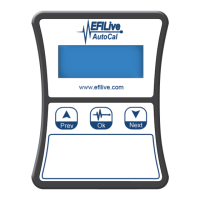
Press the Ok button on the AutoCal keypad to confirm you
wish to license the controller to the AutoCal device.
E ?
A
r
e
y
o
u
S
u
r
e
?
This is a final confirmation you wish to allocate the license. Pressing the Ok button on the
AutoCal keypad performs.
Load tune file into truck.


 To Next Page