17
Basic Operation
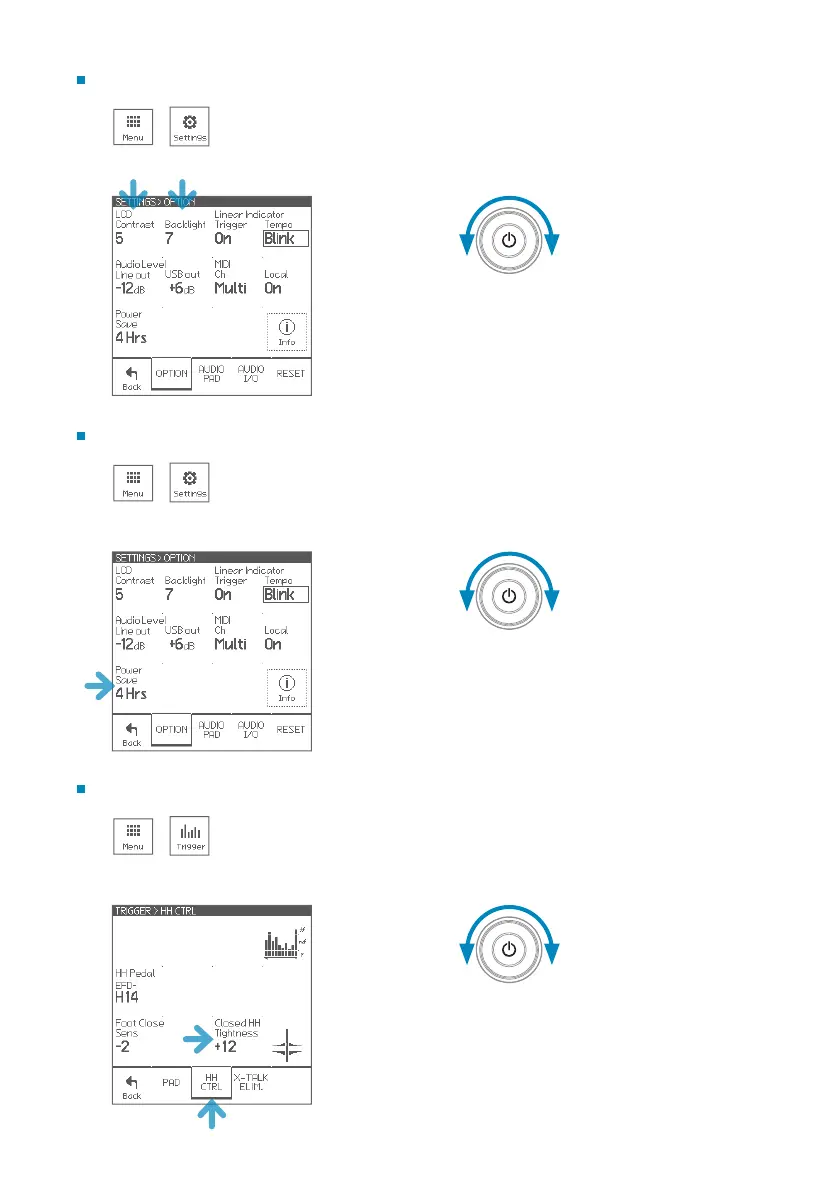
Adjusting the Display (LCD) Settings
1 >
Changing the Power Save Setting
1 >
When “O”, the module will not turn o
automatically.
2 3
2 3
Adjusting the Hi-Hat
1 >
2 3
• When the hi-hat sound is not closed enough
despite you press the pedal rmly, increase the
“Closed HH Tightness” value.
• When the hi-hat sound is not open easily even if
you slightly release the pedal, decrease the value.



 To Next Page