EasyManua.ls Logo

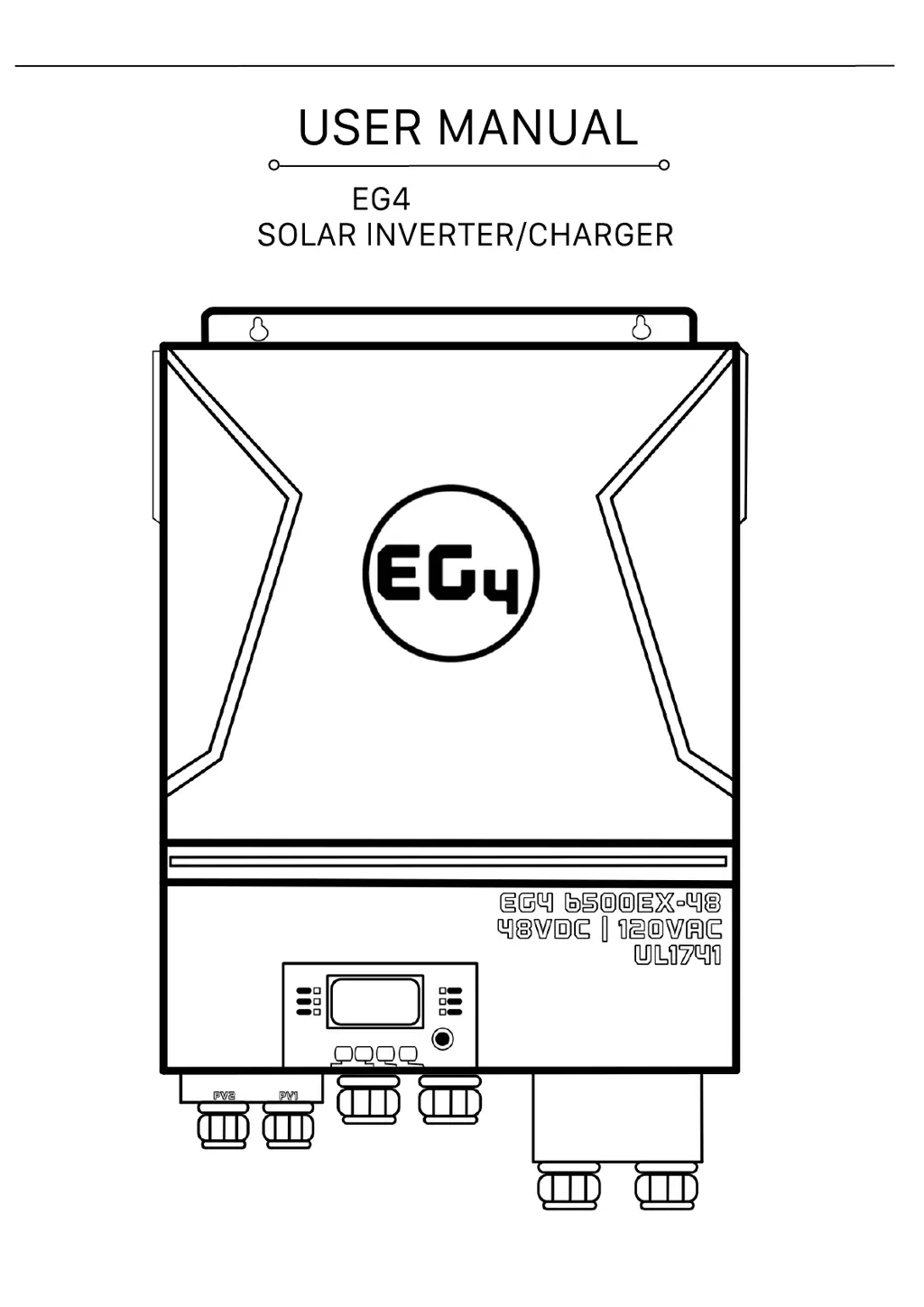
EG4 6500 EX-48 - User Manual

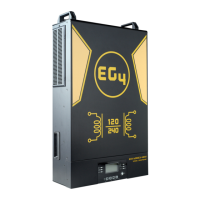
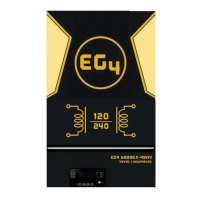
EG4 6500 EX-48
80 pages
Print Icon
To Next Page IconTo Next Page
Loading...
May 2022 | Rev A | Information subject to change without notice.
6.5KVA 120Vac
6500 EX-48
EG4 Electronics
www.eg4electronics.com

Questions and Answers

  • E
    Elijah GardnerAug 11, 2025
    Why my EG4 6500 EX-48 works in battery mode when mains exist?
    • Q
      qhornAug 12, 2025
      If your EG4 Inverter continues to operate in battery mode even when mains power is available, several factors could be responsible. The input protector might be tripped, so check if the AC breaker has tripped and ensure the AC wiring is correctly connected. Insufficient AC power quality from the shore or generator could also be the cause; verify that the AC wires aren't too thin or excessively long. Also, check if the generator (if used) is functioning correctly or if the input voltage range setting is correct. As an alternative, change the output source priority to Utility first.
  • K
    knoxbriannaAug 18, 2025
    What to do if EG4 6500 EX-48 Inverter has no response after power on?
    • B
      bnorrisAug 18, 2025
      If your EG4 Inverter doesn't respond after you power it on, the battery voltage may be too low (below 1.4V/Cell). Check the batteries and wiring to ensure they are properly connected. Another possibility is reversed battery polarity, so re-charge the battery. If these steps don't resolve the issue, consider replacing the battery.
  • S
    Sophia BrownAug 25, 2025
    Why does my EG4 6500 EX-48 shut down automatically during startup?
    • R
      Ronald NewtonAug 25, 2025
      If your EG4 Inverter shuts down automatically during the startup process, it could be due to a low battery voltage (less than 1.91V/Cell). In this case, re-charge the battery. If the issue persists, the battery may need to be replaced.
  • A
    Angela HooverAug 29, 2025
    How to fix EG4 6500 EX-48 internal relay switching on and off repeatedly?
    • L
      Lauren WoodAug 30, 2025
      If the internal relay of your EG4 Inverter switches on and off repeatedly when you turn it on, the battery might be disconnected. Check the battery wires to ensure they are properly connected.
  • A
    austinparkNov 5, 2025
    What to do if my EG4 6500 EX-48 Inverter buzzer beeps continuously and the red LED is on?
    • M
      Marcus RobbinsNov 5, 2025
      If your EG4 Inverter's buzzer beeps continuously and the red LED is on, it indicates several potential issues. It could be due to an overload error (the inverter is overloaded beyond 110%), in which case you should reduce the connected load by switching off some equipment. Another cause might be an output short circuit, so check the wiring and remove any abnormal loads. High internal temperature of the converter component (over 120°C, applicable to 1-3KVA models only) could also be the reason; ensure the unit's airflow isn't blocked and the ambient temperature isn't too high. Other potential causes include: the battery voltage being too high (check battery specifications and quantity), a fan fault (replace the fan), output voltage being abnormal (reduce the connected load), over current or...
  • C
    Christian CarranzaAug 25, 2026
    I have 20 450 watt mono panels, 10 of them bifacial, each inverter is only pv inputting 1600-1700 watts thats nearly only half production, tested the same panel’s in an ecoflow the panles produce at 70-80% on the ecoflow. Its got to be a setting on the inverters, which setting is it ?and hot to configure it to maximize my pv input? which should be 3000-4000 in each inverter not 1700 max.

    Summary

    About This Manual

    Purpose

    Describes the assembly, installation, operation, and troubleshooting of the unit.

    Scope

    Provides safety and installation guidelines, as well as information on tools and wiring.

    Safety Instructions

    SAFETY INSTRUCTIONS

    Contains important safety and operating instructions for the unit.

    Introduction

    Features

    Lists key features of the residential self-consumption multi-function inverter.

    Basic System Architecture

    Illustrates the basic application and required devices for a running system.

    Product Overview

    Product Overview

    Details the components and ports of the EG4 6500EX-48 inverter.

    Installation

    Unpacking and Inspection

    Instructions for inspecting the unit and its package contents after delivery.

    Installation of Battery Wiring Extension Box, Cable Glands, and Conduit Fittings 1;2 or 3;4

    Guidance on installing the battery wiring extension box and associated fittings.

    Installation

    Preparation

    Steps before connecting wirings, including removing the bottom cover.

    Mounting the Unit

    Guidelines for selecting the optimal installation location and ensuring proper clearance.

    Battery Connection

    Battery Connection

    Detailed instructions for connecting the battery, including cable size and torque values.

    AC Input;Output Connection

    AC Input;Output Connection

    Procedures for connecting AC input and output, including cable requirements and polarities.

    PV Connection

    PV Connection

    Guidelines for connecting PV modules, including breaker requirements and module types.

    PV Connection

    Recommended Panel Configuration

    Recommendations for PV module configuration based on voltage and power parameters.

    Final Assembly

    Final Assembly

    Steps for completing the assembly after wiring, including re-connecting cables and the bottom cover.

    Remote Display Panel Installation

    Instructions for detaching and installing the LCD module in a remote location.

    Remote Display Panel Installation

    Remote Display Panel Installation (continued)

    Steps for mounting the LCD module and connecting it to the inverter via a communication cable.

    Communication Connection

    Serial Connection

    Instructions for connecting the inverter to a PC using a serial cable.

    Wi-Fi Connection

    Details on enabling wireless communication using the Wi-Fi transmitter and the WatchPower app.

    Dry Contact Signal

    Information on the dry contact signal for external device notification.

    BMS Communication

    Requirement for a special communication cable for Lithium-Ion battery banks.

    OPERATION

    Power ON;OFF

    How to turn the unit on and off using the display panel switch.

    Inverter Start-Up

    Describes the initialization sequence and RGB LED bar behavior during startup.

    Operation and Display Panel

    Overview of the operation panel, including indicators, function keys, and LCD display.

    Operation and Display Panel

    Function Keys

    Details the function keys and their descriptions for operating the inverter.

    LCD Display Icons

    Explains the icons used on the LCD display for various information categories.

    LCD Display Icons

    LCD Display Icons (continued)

    Further explanation of LCD display icons for battery status, load, and operation modes.

    LCD Setting

    General Setting

    How to enter the Settings Menu and navigate through program settings.

    Program 00: Exit setting mode

    Option to exit the current setting mode or program.

    Program 01: Output source priority

    Configures load power source priority (Utility, USB, SBU).

    LCD Setting

    Program 02: Maximum charging current

    Sets the total charging current for solar and utility chargers.

    Program 03: AC input voltage range

    Defines acceptable AC input voltage ranges (Appliances, UPS).

    Program 05: Battery type

    Selects the battery chemistry (EG4, Flooded, AGM, User-Defined, etc.).

    LCD Setting

    Program 06: Auto restart when overload occurs

    Configures the unit's behavior upon overload detection (restart or disable).

    Program 07: Auto restart when over temperature occurs

    Configures the unit's behavior upon over-temperature detection (restart or disable).

    Program 09: Output frequency

    Sets the output frequency (50Hz or 60Hz).

    Program 10: Output voltage

    Sets the output voltage (110V or 120V).

    LCD Setting

    Program 11: Maximum utility charging current

    Sets the maximum charging current from the utility input.

    Program 12: Setting voltage point back to utility source

    Sets voltage point for switching back to utility source in SBU mode.

    Program 13: Setting voltage point back to battery mode

    Sets voltage point for switching back to battery mode in SBU mode.

    Program 16: Charger source priority

    Configures charger source priority (Solar, Utility, or both).

    LCD Setting

    Program 16: Charger source priority (cont.)

    Configures charger source priority (Solar and Utility, Only Solar).

    Program 18: Alarm control

    Controls alarm and buzzer settings.

    Program 19: Auto return to default display screen

    Sets whether the screen returns to default after inactivity.

    Program 20: Backlight control

    Controls the LCD screen backlight function.

    LCD Setting

    Program 22: Beeps while primary source is interrupted

    Configures audible alerts for primary source interruptions.

    Program 23: Overload bypass

    Enables/disables bypass mode during overload in battery mode.

    Program 25: Record Fault code

    Enables or disables recording of fault codes.

    Program 26: Bulk charging voltage

    Sets the bulk charging voltage based on battery type.

    Program 27: Floating charging voltage

    Sets the floating charging voltage based on battery type.

    Program 28: AC output mode

    Configures AC output mode for single, parallel, or 3-phase applications.

    LCD Setting

    Program 28: AC output mode (cont.)

    Configures AC output mode for split-phase applications (120°/180° difference).

    Program 29: Low DC cut-off voltage

    Sets the voltage point for low DC cut-off.

    Program 30: Battery equalization

    Enables or disables battery equalization function.

    LCD Setting

    Program 31: Battery equalization voltage

    Sets the voltage for battery equalization.

    Program 33: Battery equalized time

    Sets the duration for battery equalization.

    Program 34: Battery equalized timeout

    Sets the timeout for battery equalization.

    Program 35: Equalization interval

    Sets the frequency or interval for battery equalization.

    Program 36: Equalization activated immediately

    Activates battery equalization immediately.

    Program 37: Reset all stored data for PV generated power and output load energy

    Resets stored data related to PV generation and load energy.

    LCD Setting

    Program 41: Maximum discharging current

    Sets the maximum battery discharging current.

    Program 51: On;Off control for RGB LED

    Controls the RGB LED lighting function on/off.

    Program 52: Brightness of RGB LED

    Adjusts the brightness of the RGB LED.

    Program 53: Lighting speed of RGB LED

    Adjusts the speed of the RGB LED lighting.

    LCD Setting

    Program 54: RGB LED effects

    Selects different effects for the RGB LED lighting.

    Program 55: Color combination of RGB LED

    Sets color combinations for RGB LED to show energy status.

    Program 93: Erase all data log

    Erases all logged data.

    Program 94: Data log recorded interval

    Sets the interval for recording data logs.

    LCD Setting

    Program 94: Data log recorded interval (cont.)

    Sets the interval for recording data logs (30, 60 minutes).

    Program 95: Time setting - Minute

    Sets the minute value for the system time.

    Program 96: Time setting - Hour

    Sets the hour value for the system time.

    Program 97: Time setting- Day

    Sets the day value for the system time.

    Program 98: Time setting- Month

    Sets the month value for the system time.

    Program 99: Time setting - Year

    Sets the year value for the system time.

    Function Setting

    USB Function Setting

    Instructions for using the USB port for firmware upgrade, data log export, etc.

    Function Setting

    Timer Setting for Output Source Priority

    Sets daily timers for output source priority (Utility, Solar, SBU).

    Function Setting

    Timer Setting for the Charger Source Priority

    Sets daily timers for charger source priority (Solar, Solar & Utility, Solar Only).

    LCD Display

    LCD Display

    Explains how to switch information on the LCD display using UP/DOWN buttons.

    Input voltage;Output voltage

    Displays input and output voltage information.

    Input frequency

    Displays input frequency information.

    LCD Display

    PV voltage

    Displays PV voltage for PV1 and PV2 inputs.

    PV current

    Displays PV current for PV1 and PV2 inputs.

    LCD Display

    PV power

    Displays PV power for PV1 and PV2.

    Charging current

    Displays AC, PV, and combined charging currents.

    Charging power

    Displays AC, PV, and combined charging power.

    Battery voltage and output voltage

    Displays battery voltage and output voltage.

    Output frequency

    Displays output frequency.

    Load percentage

    Displays the current load percentage.

    LCD Display

    Load in VA

    Displays load in Volt-Amperes.

    Load in Watt

    Displays load in Watts.

    Battery voltage;DC discharging current

    Displays battery voltage and DC discharging current.

    PV energy generated today and Load output energy today

    Shows daily PV energy generation and load output energy.

    LCD Display

    PV energy generated this month and Load output energy this month.

    Shows monthly PV energy generation and load output energy.

    PV energy generated this year and Load output energy this year.

    Shows yearly PV energy generation and load output energy.

    PV energy generated totally and Load output total energy.

    Shows total PV energy generation and load output energy.

    Real date.

    Displays the current real date.

    Real time.

    Displays the current real time.

    Main CPU version checking.

    Displays the main CPU version.

    Operating Mode Description

    Operating Mode Description

    Describes different operating modes: Standby, Line, Battery.

    Operating Mode Description

    Line Mode

    Details operation in Line Mode with different source priorities and charging.

    Operating Mode Description

    Battery Mode

    Details operation in Battery Mode, powering from battery and/or PV.

    Faults Reference Code

    Faults Reference Code

    Lists fault codes, their events, and corresponding icons.

    Warning Indicator

    Warning Indicator

    Lists warning codes, events, audible alarms, and icon flashing.

    BATTERY EQUALIZATION

    BATTERY EQUALIZATION

    Explains the battery equalization function, its benefits, and application.

    How to Apply Equalization Function

    Steps to enable and apply the battery equalization function.

    When to Equalize

    Conditions under which the controller enters the Equalization stage.

    BATTERY EQUALIZATION

    Equalize charging time and timeout

    Details on equalize charging time and timeout settings.

    CLEANING AND MAINTENANCE FOR ANTI-DUST KIT

    Overview

    Explains the function of the anti-dust kit for inverter reliability.

    Cleaning and Maintenance

    Instructions for cleaning the anti-dust kit and air filter foam.

    SPECIFICATIONS

    Table 1 Line Mode Specifications

    Detailed specifications for the inverter in Line Mode.

    SPECIFICATIONS

    Table 2 Inverter Mode Specifications

    Detailed specifications for the inverter when operating in Inverter Mode.

    SPECIFICATIONS

    Table 3 Charge Mode Specifications

    Detailed specifications for the inverter in Charge Mode (Utility and Solar).

    SPECIFICATIONS

    Table 4 General Specifications

    General specifications including safety certification, temperature, and dimensions.

    Table 5 Parallel Specifications (Parallel model only)

    Specifications related to parallel operation of multiple inverters.

    TROUBLE SHOOTING

    TROUBLE SHOOTING

    Provides troubleshooting steps for common problems with the inverter.

    Appendix I: Parallel Function

    Introduction

    Overview of parallel operation capabilities and modes for the inverter.

    Mounting the Unit

    Guidelines for mounting multiple units in parallel.

    Wiring Connection

    Instructions for wiring connections in parallel operation, including cable sizes and breakers.

    Wiring Connection

    Recommended battery capacity

    Recommended battery capacity for different numbers of inverters in parallel.

    Parallel Operation in Single phase

    Detailed guide for parallel operation of two inverters in single phase.

    Parallel Operation in Single phase

    Three inverters in parallel:

    Wiring diagram for three inverters in parallel.

    Four inverters in parallel:

    Wiring diagram for four inverters in parallel.

    Parallel Operation in Single phase

    Five inverters in parallel:

    Wiring diagram for five inverters in parallel.

    Six inverters in parallel:

    Wiring diagram for six inverters in parallel.

    Support 3-phase equipment

    Two inverters in each phase:

    Wiring diagram for 3-phase support with two inverters per phase.

    Four inverters in one phase and one inverter for the other two phases:

    Wiring diagram for 3-phase support with mixed inverter distribution.

    Support 3-phase equipment

    Three inverters in one phase, two inverters in second phase and one inverter for the third phase:

    Wiring diagram for 3-phase support with uneven inverter distribution.

    Three inverters in one phase and only one inverter for the remaining two phases:

    Wiring diagram for 3-phase support with uneven inverter distribution.

    Support 3-phase equipment

    Two inverters in two phases and only one inverter for the remaining phase:

    Wiring diagram for 3-phase support with uneven inverter distribution.

    Two inverters in one phase and only one inverter for the remaining phases:

    Wiring diagram for 3-phase support with uneven inverter distribution.

    Support 3-phase equipment

    One inverter in each phase:

    Wiring diagram for 3-phase support with one inverter per phase.

    Support split-phase equipment

    Wiring diagram for split-phase equipment with three inverters per phase.

    Support split-phase equipment

    Four inverters in each phase:

    Wiring diagram for split-phase equipment with four inverters per phase.

    One inverter in each phase:

    Wiring diagram for split-phase equipment with one inverter per phase.

    PV Connection

    Refers to the user manual for single unit PV connection.

    LCD Setting and Display

    Program 28: AC output mode

    Configures AC output mode for single, parallel, 3-phase, and split-phase applications.

    Fault code display:

    Fault code display:

    Lists fault codes, their events, and corresponding icons.

    Code Reference:

    Provides a reference for codes displayed on the LCD screen.

    Commissioning

    Parallel in single phase

    Steps for commissioning parallel systems in single phase.

    Commissioning

    Support split-phase equipment

    Steps for commissioning split-phase equipment configurations.

    Trouble shooting

    Trouble shooting

    Provides troubleshooting steps for common problems with the inverter.

    Appendix II: BMS Communication Installation- EG4-LL

    Introduction

    Information on using RJ45 communication cable for lithium battery connection.

    Pin Assignment for BMS Communication Port

    Details the pin assignments for the BMS communication port.

    Battery Networking- EG4-LL

    Battery Networking- EG4-LL

    Illustrates how to interconnect EG4-LL batteries using RS485 cables.

    Battery Networking-LiFePower4

    Battery Networking-LiFePower4

    Illustrates how to interconnect LiFePower4 batteries using RS485 cables.

    Settings for EG4 Lithium Batteries- Master;Slave

    Dip Switch:

    Explains dip switch settings for EG4-LL and EG4-LifePower4 batteries.

    Process of install

    Steps for installing and connecting EG4 Lithium batteries.

    6. Code Reference

    6. Code Reference

    Displays information codes shown on the LCD screen and their actions.

    Appendix III: The Wi-Fi Operation Guide in Remote Panel

    Introduction

    Overview of Wi-Fi module and WatchPower APP for remote monitoring.

    WatchPower App

    Guide to downloading, installing, and setting up the WatchPower mobile application.

    WatchPower App

    Initial Setup

    Steps for registering and configuring the Wi-Fi module locally.

    Device List

    How to view, add, or delete devices in the Device List.

    Device Mode

    Explains the dynamic power flow chart and different inverter modes.

    Device Mode

    Device Alarm and Name Modification

    How to review alarm history and modify device names.

    Device Information Data

    How to check basic, product, rated information, and history.

    Parameter Setting

    Guide to setting various parameters for inverters.

    Parameter Setting

    Parameter setting list:

    Lists and describes various parameters for inverter settings.

    Certificate

    Certificate

    Shows the certification details for the EG4-6500EX-48 inverter.

    Certificate

    Model Rating details:

    Provides detailed rating information for the inverter.

    Device Information Data

    Device Information Data

    How to check device information like PV input, battery status, and output parameters.

    Parameter Setting

    Parameter Setting

    Guide to activating features and setting parameters for inverters.

    Parameter setting list:

    Lists and describes various parameters for inverter settings.

    Parameter Setting

    Parameter setting list: (cont.)

    Continues listing and describing various parameters for inverter settings.

    Certificate

    Certificate

    Shows the certification details for the EG4-6500EX-48 inverter.

    Certificate

    Model Rating details:

    Provides detailed rating information for the inverter.

    EG4 6500 EX-48 Specifications

    General IconGeneral
    ModelEG4 6500 EX-48
    Rated Power6500W
    Input Voltage48VDC
    Output WaveformPure Sine Wave
    Efficiency93%
    Max PV Array Power8000W
    Max DC Voltage500V
    MPPT Voltage Range120 - 450V
    Battery Voltage48V
    Max Charging Current120A
    AC Output Voltage120V/240V
    Max Output Current27A

    Related product manuals