EasyManua.ls Logo

EggTronic Power Bar - User Manual

Default Icon
7 pages
Print Icon
To Next Page IconTo Next Page
Loading...
USER MANUAL
Power Bar
USB-C
TM
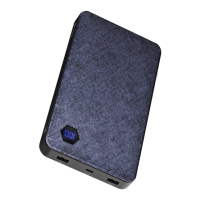
Wireless Power Bank
CBWH30A
Call Eggtronic customer support before returning the product to the retailer (844) 282 - 2770
Package content
Wireless Power Bar | USB-C™ to USB-C braided cable (6ft) | USB-C to USB-A to
Lightning® braided cable (3ft) | USB-C adapter | User manual.
Product overview
Thank you for choosing the Eggtronic Wireless Power Bar. The product allows you
to charge up to four devices at the same time. You can use it as a wired charger
for your USB-C laptop while wirelessly charging your Qi-compatible smartphone
as well as your Apple Watch® wrist wearable device and AirPods® wireless
headphones case.
The Eggtronic Wireless Power Bar can also be used as a backup portable battery
pack. With the Power Bar’s 10,000mAH battery you can charge your devices on
the go.
Please read the user manual before using the product.
1. Power button
2. USB-C input
3. LED indicators
4. Wireless charger 7.5W
5. Wireless charger 7.5W
6. Apple Watch wireless charging
Question and Answer IconNeed help?

Do you have a question about the EggTronic Power Bar and is the answer not in the manual?

Summary

Product Information

Package Contents

Lists all items included with the wireless power bank.

Product Overview

General description of the power bank's features and capabilities.

How to Use

Backup Power

Using the 10,000mAh battery for on-the-go device charging.

Smartphone Wireless Charging

Charging Qi-compatible smartphones wirelessly up to 7.5W.

Apple Watch Wireless Charging

Instructions for charging Apple Watch devices on the dedicated spot.

Additional Usage

AirPods Wireless Charging

Charging the AirPods wireless headphones case on the dedicated spot.

Wired USB-C Charging

Charging laptops and other USB-C devices using the included cable.

Operations and Specifications

Recharge Instructions

Instructions for recharging the 10,000mAh battery using a USB-C cable.

Specifications

Details dimensions, output, battery capacity, and compatibility.

LED Indicators

Explains the meaning of different LED light behaviors for status indication.

Safety Information

General Safety Precautions

Crucial safety precautions to prevent injury and product damage during use.

Troubleshooting

Troubleshooting Steps

Common issues and solutions for the wireless power bar, addressing charging and connectivity problems.

Legal & Warranty

Limited Warranty

Information on product warranty and terms of use.

FCC Compliance

Statement regarding FCC rules and radiation exposure limits.

Summary

Product Information

Package Contents

Lists all items included with the wireless power bank.

Product Overview

General description of the power bank's features and capabilities.

How to Use

Backup Power

Using the 10,000mAh battery for on-the-go device charging.

Smartphone Wireless Charging

Charging Qi-compatible smartphones wirelessly up to 7.5W.

Apple Watch Wireless Charging

Instructions for charging Apple Watch devices on the dedicated spot.

Additional Usage

AirPods Wireless Charging

Charging the AirPods wireless headphones case on the dedicated spot.

Wired USB-C Charging

Charging laptops and other USB-C devices using the included cable.

Operations and Specifications

Recharge Instructions

Instructions for recharging the 10,000mAh battery using a USB-C cable.

Specifications

Details dimensions, output, battery capacity, and compatibility.

LED Indicators

Explains the meaning of different LED light behaviors for status indication.

Safety Information

General Safety Precautions

Crucial safety precautions to prevent injury and product damage during use.

Troubleshooting

Troubleshooting Steps

Common issues and solutions for the wireless power bar, addressing charging and connectivity problems.

Legal & Warranty

Limited Warranty

Information on product warranty and terms of use.

FCC Compliance

Statement regarding FCC rules and radiation exposure limits.

EggTronic Power Bar Specifications

General IconGeneral
Output (USB-A)12W
Dimensions12 x 2 x 1.5 inches
Outlets3
USB-C Ports1
Surge ProtectionYes
AC Outlets3
Input100-240V AC, 50/60Hz
Output (USB-C)5V/3A, 9V/2A, 12V/1.5A (PD 20W Max)

Related product manuals