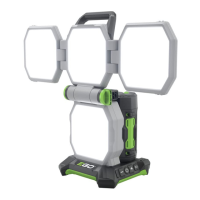
56V LITHIUM-ION COMPACT AREA LIGHT — LT0300/LT0300-FC18
TROUBLESHOOTING
PROBLEM CAUSE SOLUTION
The light does
not turn on
OR turns off
unexpectedly.
◾
Low battery charge level.
◾
Charge battery pack.
◾
Battery pack is not correctly
attached to the light.
◾
Attach battery pack to
light correctly.
The USB device
cannot be
charged via the
USB-C port.
◾
The user didn’t turn on the
light before charging the USB
device.
◾
Briefly press the power
button to turn on the
light – this will activate
the USB port. Even if
the light is turned off
during USB charging
process, the connected
USB device will continue
charging for about 2
hours.



 To Next Page