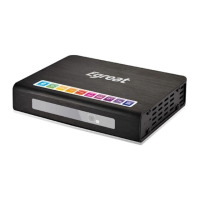
Need help?
Do you have a question about the Egreat R160 and is the answer not in the manual?
Connects the player to a TV using component or composite video signals.
Connects the player to a TV using the HDMI digital interface for high-quality video and audio.
Connects the player to an amplifier for audio output using a coaxial digital cable.
Connects the player to an amplifier for audio output using an optical digital cable.
Establishes network connectivity for accessing online content or local network resources.
Connects external storage devices using SATA or ESATA interfaces for data transfer.
Connects USB storage devices or peripherals to the player.
Connects the player in USB slave mode or uses external firmware cards.
Controls the main power state of the media player.
Adjusts video output modes and accesses system settings menus.
Buttons for ejecting discs, accessing menus, and navigating playback.
Buttons for menu navigation, information display, and playback control.
Buttons for skipping tracks, seeking time, and changing audio sources.
Controls the audio volume level and muting function.
Buttons for confirming actions, playing, pausing, and stopping media.
Buttons for slow playback modes and subtitle adjustments.
Buttons for switching aspect ratios, zooming, and bookmarking.
Includes color keys, A-B repeat, and WIDGET functions for advanced control.
Configures the display language for the player's user interface.
Sets the current date and time for system operations and logging.
Configures the wired network connection for internet access and local network features.
Automatically obtains an IP address from a DHCP server for network connectivity.
Manually assigns a static IP address, subnet mask, and gateway for network setup.
Automatically configures DNS server settings for network name resolution.
Manually enters DNS server IP addresses for name resolution.
Covers general system environment settings like language and screen saver.
Configures audio output modes and video display options.
Manages network connections and other system utilities.
Selects the user interface language for the player.
Sets the text encoding standard for displaying characters correctly.
Configures system time, auto-play for discs, and screen saver behavior.
Manages DLNA digital media renderer and on-screen keyboard language.
Configures automatic scanning for connected storage devices.
Enables resume playback, formats storage devices, and manages BD navigation.
Configures auto standby, CEC functions, and resets system settings to default.
Allows customization of the player's user interface appearance.
Sets various audio output modes including Night Mode, HDMI, and SPDIF.
Adjusts audio for low volume environments and selects HDMI audio output formats.
Configures SPDIF digital audio output and surround sound modes.
Synchronizes audio and video playback to prevent lip-sync issues.
Configures aspect ratio, TV system, and video zoom for optimal display.
Selects screen aspect ratios and the appropriate TV system standard.
Adjusts video zoom levels and enables 1080P 24Hz output.
Configures 1080P 24Hz output and adjusts the depth of color displayed.
Configures the wired network connection parameters.
Manages automatic IP and DNS configuration for wired connections.
Manually sets IP and DNS addresses for wired network access.
Configures wireless network connections for internet access.
Sets up PPPoE for dial-up internet access.
Controls Bluetooth and Samba file sharing processes.
Manages security settings for Bluetooth and Samba sharing.
Displays system version, network details, and Netflix deactivation options.
Guides on performing online or USB firmware upgrades.
Adjusts the volume level for key press feedback sounds.
Allows browsing and managing files stored on various media devices.
Options for viewing files using Thumbnails, List, or Preview modes.
Features for adding files to favorites and sorting them by name or date.
Options to sort files by name, data, or filter by media type like Movies, Photos, Music.
Executes file operations such as Copy, Delete, Move, and Rename.
Detailed steps for copying single files to a destination.
Detailed steps for deleting single files from storage.
Detailed steps for moving single files to a new location.
Detailed steps for renaming single files.
Enables selection of multiple files for batch operations like copy or delete.
Accesses the multi-file editing window for batch operations.
Renames playlist files using the on-screen keyboard.
Selects and plays music files, with playback controls available.
Includes controls for repeat modes and shuffle playback during music playback.
Provides various options to browse music files by search, thumbnails, list, etc.
Lists and describes modes like Search, Now Playing, Thumbnails, List, and Preview.
Options to classify music files by Album, Artist, Genre, Year, and Go to Folder.
Options for sorting files by Playlists, Recently Played, Recently Added, and Name.
Performs file handling operations like Copy, Delete, Move, and Save Playlist.
Detailed steps for copying, deleting, and moving music files.
Utilizes the multi-file editing window for batch music operations.
Exits the multi-file editing process for music files.
Guides on creating and saving new audio playlists.
Renames newly created music playlist files.
Finalizes the playlist creation process.
Displays individual photo files or initiates a slide show presentation.
Controls for navigating photos, zooming, and stopping playback.
Settings for slide timing, transitions, repeat modes, and background music.
Options for browsing photos including Thumbnails, List, and Preview.
Navigates through photo directories and leaf folder structures.
Organizes photos by data, album, and allows sharing to Facebook.
Sorts photos by Name, Recently Added, and Recently Played.
Performs file operations like Copy, Delete, Move, and Create Photo Album.
Detailed steps for performing copy, delete, and move operations on photo files.
Guides on creating new photo albums and naming them.
Plays video files and provides playback controls.
Includes controls for skipping, zooming, stopping, and displaying video info.
Manages subtitle display and audio mode settings for videos.
Allows time shifting, chapter jumping, and setting repeat playback modes.
Adjusts brightness, contrast, saturation, and hue for video playback.
Options to upload videos to YouTube or share them on Facebook.
Provides various ways to browse movie files like search, thumbnails, and list views.
Lists and describes modes such as Search, Thumbnails, List, and Preview.
Options to view files by type: All Movies, Video Files, BD/DVD, Flash Animation.
Uploads movies to YouTube, shares on Facebook, and navigates folders.
Sorts movie files by Name, Size, Most Viewed, and Recently Added.
Performs file handling operations like Copy, Delete, and Move.
Detailed steps for copying, deleting, and moving movie files.
Files from Movies, Music, and Photos can be added to Favorites.
Instructions on how to remove files from the Favorites list.
Key considerations and requirements for playing 3D movies.
Guides on connecting the player for optimal 3D visual effects.
Details on connecting through HDMI, Coaxial, and Optical for 3D playback.
Steps to play 3D Blu-ray discs and switch between 3D/2D modes.
Methods to convert 2D movie content into 3D signal output.
Instructions for installing Android applications via APK files on an SD card.
Overview of accessing various web content and applications.
Accessing websites through the RealPilot interface.
Entering URLs and navigating websites using the player's browser.
Detailed steps for inputting website URLs in the browser.
Differentiates mouse usage for wired vs. wireless connections in the browser.
Steps to upgrade the player's firmware using a USB flash drive.
Method to upgrade firmware using the unit's restore button.
 General
| Brand | Egreat |
|---|---|
| Model | R160 |
| Category | Media Player |
| Video Output | HDMI 2.0a |
| Audio Output | HDMI, Optical |
| Network | 10/100/1000M Ethernet |
| SATA | SATA 3.0 |
| RAM | 4GB |
| Internal Storage | 32GB |
| Operating System | Android |
| Supported Video Formats | H.265, H.264, VP9 |
| Supported Audio Formats | Dolby Digital, Dolby Digital Plus, DTS |
| Supported Image Formats | JPEG, BMP, PNG |
| Output Resolution | 4K UHD (3840x2160) |
| HDR Support | HDR10, HDR10+ |
| Connectivity | Wi-Fi, Ethernet |
| USB | USB 3.0, USB 2.0 |
| Power Supply | 12V/2A |


 To Next Page