Need help?
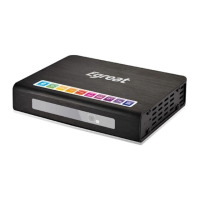
Do you have a question about the Egreat R200S and is the answer not in the manual?
Connect the player to a TV using YPbPr (component) or AV (composite) cables.
Connect the player to a TV using an HDMI cable for audio and video output.
Connect the player to an amplifier using a coaxial cable for audio.
Connect the player to an amplifier using an optical cable for audio.
Explore various network connection methods including LAN and wireless.
Connect external storage devices using SATA or ESATA interfaces.
Understand USB host and slave connections for data transfer and peripherals.
Connect SD cards and external fireware cards for storage and updates.
Learn about the power on/off button and basic remote operations.
Control video output modes and access system settings via remote.
Operate the disc tray and navigate DVD/BD menus using remote buttons.
Understand buttons for playback control, navigation, and information display.
Details on buttons for fast forward/rewind, repeat options, and audio selection.
Control volume and seek specific times within media playback.
Buttons for confirming actions and controlling playback states like play/pause.
Adjust playback speed, manage subtitles, and use bookmark features.
Switch picture aspect ratios, use zoom functions, and access DVD specific modes.
Utilize color keys for interface functions and A-B repeat for DVD playback.
Information on undefined WIDGET functionality.
Check status for DTV, EPG, TIMESHIFT, and REC functions.
Note on potential differences in remote control keys across models.
Configure the system's menu language through initial setup.
Adjust the system's date and time settings during initial setup.
Configure system-wide settings like language, time, and screen saver.
Adjust HDMI and SPDIF audio output modes for optimal sound.
Set video output parameters like aspect ratio, TV system, and zoom.
Configure network IP addresses, gateway, and DNS settings.
Access miscellaneous settings including version, USB upgrades, and key tones.
Select and confirm the desired menu language for the system.
Choose the text encoding for proper display of characters.
Set the year, month, day, hour, minute, and second for the system clock.
Enable or disable automatic playback for R/RW media.
Enable or disable the screen saver function to save power.
Enable or disable the DLNA Digital Media Renderer function.
Select the language for the on-screen mini keyboard input.
Configure how the system scans connected storage devices.
Enable or disable the feature to resume video playback from where it left off.
Format connected storage devices using the player's utility.
Select between simple navigation and HDMV navigation for Blu-ray discs.
Configure the device to automatically enter standby mode.
Set up Consumer Electronics Control (CEC) for device interaction.
Restore the system to its original factory default settings.
Change the visual appearance or 'skin' of the user interface.
Configure Night Mode, HDMI, and SPDIF audio output settings.
Select desired surround sound modes like 'Don't Care' or '5.1 CH'.
Synchronize audio and video playback to correct lip-sync issues.
Choose the screen aspect ratio for optimal viewing of video content.
Select the appropriate TV system standard (e.g., NTSC, PAL).
Adjust video zoom levels for different viewing preferences.
Enable 1080p 24Hz output if supported by your TV for smoother motion.
Adjust the depth of color for enhanced visual quality.
Configure wired network connection using DHCP or static IP.
Manually configure IP address, subnet mask, gateway, and DNS.
Set up and connect to a wireless network.
Configure PPPoE connection for internet access.
Enable or disable the BitTorrent (BT) process.
Enable or disable the Samba file sharing process.
Configure security settings for BT and Samba processes.
View system version and network information.
Deactivate or manage Netflix service on the device.
Upgrade firmware using an internet connection.
Upgrade firmware using a USB flash drive.
Adjust the volume of key press tones.
Navigate and browse music, photo, and movie files on storage devices.
Select view modes like Thumbnails, List, and Preview for files.
Add music, photos, and movies to your favorites list.
Sort files by name, date, or view all media types.
Perform operations like Copy, Delete, Move, and Rename files.
Select multiple files for batch operations using the file list.
Play selected music files and control playback with remote buttons.
Browse music files using various modes like Search, List, and Thumbnails.
Organize music by Artist, Album, Genre, Year, and other criteria.
Perform file operations like Copy, Delete, and Move within the music list.
Create custom audio playlists by selecting and saving music files.
View image files individually or as an automatic slide show.
Select viewing modes like Thumbnails, List, and Photo Directory.
Handle photo files with operations like Copy, Delete, Move, and Create Album.
Organize photos into albums for easier management and viewing.
Play video files and control playback with various remote functions.
Configure subtitle display and select audio modes for videos.
Navigate video playback using time shift, jump modes, and repeat options.
Adjust video playback settings like brightness, contrast, and hue.
Upload videos to YouTube or share them on Facebook.
Browse video files using modes like Search, Thumbnails, and Size.
Perform file operations like Copy, Delete, and Move for video files.
Add files from Movies, Music, and Photos to the Favorites section.
Understand requirements for playing 3D movies and connecting to 3D displays.
Guide to installing and connecting the player for 3D playback.
Details on HDMI, Coaxial, and Optical video output connectors.
Instructions for playing 3D Blu-ray discs and enabling 3D detection.
Learn to switch between 2D and 3D modes during movie playback.
Methods to convert 2D movies into simulated 3D output.
Install Android applications by copying APK files to SD card.
Understand mouse functions for navigating the Android interface.
Explore internet applications for movies, TV, weather, and more.
Use premium apps and access websites via the RealPilot interface.
Enter URLs and navigate websites using the on-screen interface.
Switch between wired (USB mouse) and wireless (remote) connection methods.
Download and install firmware updates using a USB flash drive.
Update firmware by using the unit's restore button.
Important notes regarding the firmware upgrade process and precautions.
 General
| Model | R200S |
|---|---|
| Chipset | Realtek RTD1185DD |
| Video Output | HDMI 1.3, Component, Composite |
| USB | 2 x USB 2.0 Host |
| Operating System | Embedded Linux |
| Resolution | Up to 1080p |
| External Storage | Supports USB drives and external HDDs |
| Video Formats Supported | AVI, TS, M2TS, MPG, MP4, MOV, VOB, ISO, DAT, WMV, ASF, RM, RMVB, FLV |
| Video Codecs Supported | H.264, VC-1, MPEG1/2/4, RMVB, Xvid |
| Audio Formats Supported | MP3, WMA, AAC, OGG, PCM, FLAC |
| Audio Output | HDMI, Optical, Coaxial, Stereo |
| Network | Ethernet 10/100M |
| Card Reader | SD/MMC |
| Subtitle Support | SRT, SUB, SSA, SMI |
| File System Support | NTFS, FAT32, EXT3 |
| Power Supply | 12V/2A |


 To Next Page