28
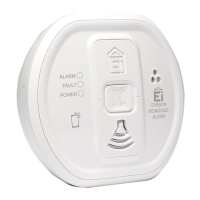
Your Alarm does
not sound when
you press the
Test button
• Check the Alarm is secured correctly on the mounting plate.
• Wait 15 seconds after connecting the power before button testing.
• Hold button down firmly for at least 5 seconds.
• Replace batteries (Ei207 models only).
If after following the above instructions the horn does not sound,
then your Alarm must be returned for repair or replacement - see
“GETTING THE ALARM SERVICED” section
Your Alarm
chirps/beeps
In standby mode, the Alarm does not sound, beep or chirp. The only
Indicator on is the flashing green power LED.
The Alarm automatically monitors the battery, sensor and electronics
periodically to ensure that all are satisfactory. If a fault has been
found, the alarm alerts the occupier to this via short chirps from its
sounder and yellow LED fault indicator flashes every 48 seconds. The
alarm will also indicate any faults when the test button is pressed.
See Table D
7. Troubleshooting and indicator summary tables


 To Next Page