41
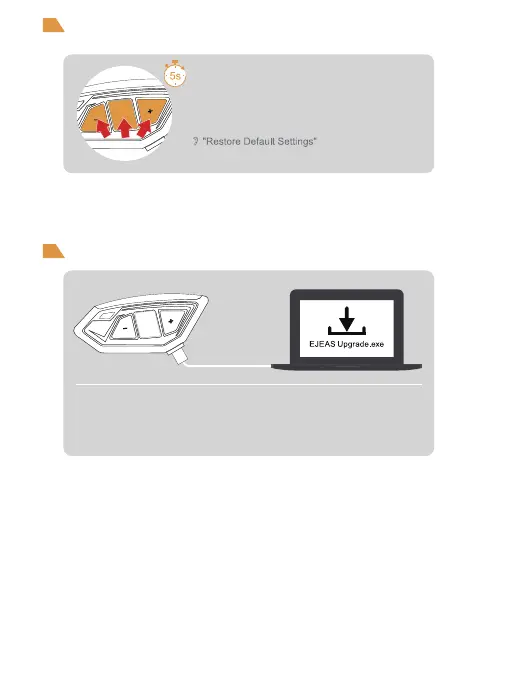
Connect to the computer with a USB data cable. Download and open
the "EJEAS Upgrade.exe" upgrade software. Click on the "Upgrade"
button to start and wait for the upgrade to complete.
Press and hold <Phone/Power Button> + <Volume
+> + <Volume -> for about 5s, the voice prompts
"Restore Default Settings" to delete the pairing
record, and then automatically reboot the phone.
Restore Default Settings
Firmware Upgrades


 To Next Page