B
C
E
D
Attentions
When charging, the red light is always on, after the full charge,
the red light is off.
Please use the standard charger to ensure the battery life.
To prevent V6C from rain and water, the headset should be
fully inserted in.
Press and button at the same time, the indicator
light flashes red three times and blue once.
Previous music: Long press for 2s
Next music: Long press for 2s
8. Choose music
9. Charging tip
10. Clear pairing (Restore factory settings)
1.
2.
B
C
E
D
Connect main device and A device, long press the for 5s
till red & blue lights flash. After both of them find each other,
one of them will automatically initiate a pairing connection,
and the blue light will flash quickly. After a while, the blue light
flashes slow simultaneously, two devices can normal talk.
To pair the next sub-machine, press the pairing button of
main device first to disconnect. Connect another four V6C,
just repeat the pairing method mentioned above.
The MOTOR/B/C/D/E buttons on the main device are for
pairing with the MOTOR/B/C/D/E buttons on five other
subdevices. After pairing, press Corresponding pairing
buttons of main device to talk with other five subdevices.
About the host
Connection Method
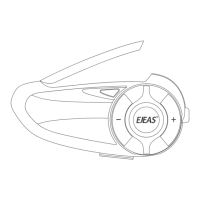
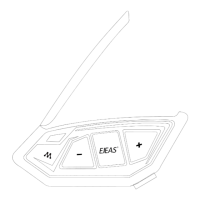
- 1 - - 2 - - 3 - - 4 -
MOTOR / A button
(Power on)
B button
D button
E button
Phone button
C button
Volume +
Power off
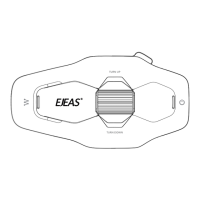
Antenna
Earphone interface /
USB charger interface
Volume -
V6C is an 2-way communication intercom up to 6 riders to
connect at a time, 1 main device can talk with another 5
sub-machines.
Functions
When comes a call, without operation 5s, phones will
automatic receive.
4. Receiving a call
Add volume: Press
Down volume: Press
7. Volume control
Long press 5s, until red and blue light flash. Turn on phone
bluetooth and search bluetooth to connect V6, pairing
successfully, intercom’s blue light flash. (If GPS/MP3 support
bluetooth function, same operation way with phone)
2. Connect with phone (GPS/MP3)
After connecting phone, long press 3s, device will
automatic dial phone of the final phone calling number.
3. Last number redial
When comes a call, press to end call.
5. Refuse a call
Short press (95% compatible with cellphone music play).
6. Play/Suspend music
Power on: Long press for 2s till the indicator light flash.
Power off: Press
1. Power on/Power off
B
C
E
D
B
C
E
D
B
C
E
D
B
C
E
D
B
C
E
D
A
C
B
D
E
More
Languages
V6C 6-Referee
Certified
Model
Version
Model


 To Next Page
 Need help?
 General