EasyManua.ls Logo

EK EKS828-BT - User Manual

EK EKS828-BT
2 pages
Print Icon
To Next Page IconTo Next Page
Loading...
Check the Contents
1
Vérifier le contenu
Compruebe el contenido
Connect to the mains
2
Changing Mode
4
Raccorder au secteur
Conectar a la red
Turn ON the Power
3
Allumer l’Appreil
Conectar la alimentación
Changer de Mode
Cambio de Modo
Bluetooth Connection
7
Instruction Manual
Manuel D'instruction
Manual de Instrucciones
AC Power Adaptor
Adaptateur Ca-Cc
AC-DC Adaptador de Enchufe
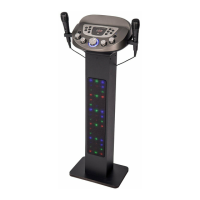
Bluetooth Pedestal Karaoke System
Système de karaoké Bluetooth avec piédestal
Sistema de karaoke con pedestal Bluetooth
Setting up Your Microphone
Connexion Bluetooth
Conexión de Bluetooth
Configuration de votre microphone
Configuración del micrófono
5
AUX
IN
USB
BT
1. 2.
Adjust the Volume
6
Ajuster le volume
Ajusta el volumen
Power LED indicator will turn on / off
Le voyant d'alimentation s'allume / s'éteint
El LED de encendido se encenderá / apagará
MASTER VOLUME Control Knob
Contrôle VOLUME PRINCIPAL
Control de VOLUMEN MASTRO
MICROPHONE VOLUME Control Knob
Contrôle de commande du VOLUME
DU MICROPHONE
Control de control de volumen del
micrófono
Twist the Control Knob to the LEFT/ RIGHT to DECREASE/ INCREASE the volume
Tournez le bouton de commande vers GAUCHE / DROITE pour DIMINUER / AUGMENTER le volume
Gire el mando de control hacia la IZQUIERDA / DERECHA para disminuir / aumentar el volumen
Dynamic Microphone x 2
Microphone Dynamique x 2
Micrófono Dinámico x 2
1.
2.
AUX
IN
USB
BT
To start playing , press the PLAY/PAUSE
button of your phone.
Pour commencer la lecture, appuyez sur
PLAY / PAUSE bouton de votre téléphone.
Para iniciar la reproducción, pulse el botón
PLAY / PAUSE de su teléfono.
Pair Name: EKS828BT
Nom de la paire: EKS828BT
Nombre del Par: EKS828BT
..........
Press the Power Button to turn ON/OFF the unit
Appuyez sur le bouton d'alimentation pour allumer
/ éteindre l'appareil
Presione el botón de encendido para encender /
apagar la unidad
REAR VIEW OF KARAOKE MACHINE
VUE ARRIÈRE MACHINE KARAOKE
VISTA POSTERIOR DE LA MÁQUINA DE KARAOKE
MIC 2 MIC 1LINE OUT LINE IN DC IN
Bluetooth Karaoke Party Machine
Machine de fête de karaoké Bluetooth
Máquina de fiestas Bluetooth Karaoke
EKS828-BT
Instruction Manual/ Manuel d'instructions/ Manual de Instrucciones
easykaraoke.co.uk
easykaraoke.co.uk
Para más información, visite www.easykaraoke.co.uk
FR
ES
EN
Question and Answer IconNeed help?

Do you have a question about the EK EKS828-BT and is the answer not in the manual?

Summary

Check the Contents

System Components

Lists included items: Bluetooth Karaoke System, dynamic microphones, AC power adapter, and instruction manual.

Power and Basic Operation

Connect to Mains

Instructions for connecting the karaoke machine to the power outlet.

Turn On Power

Guide on how to power on the unit using the power button and check the LED indicator.

Adjust Volume

Instructions for adjusting the main volume using the control knob.

Mode and Connectivity

Change Mode

Illustrates how to switch between BT, AUX IN, and USB modes.

Bluetooth Connection

Steps for pairing a device via Bluetooth and starting playback.

Microphone Setup

Microphone Setup

Details on connecting microphones to MIC 1 and MIC 2 inputs and adjusting microphone volume.

Advanced Functions

Record Function on USB

Instructions for recording audio to a USB drive, including starting and stopping.

USB Connection and Playback

Guide for connecting USB devices and playing music files.

Repeat Function

Explains how to use the repeat function for songs (single, all, slow, quick).

Folder and Skip Functions

Details on using the FOLDER and 10+ buttons for navigation and playback control.

Auxiliary Connection

Instructions for connecting external audio sources via the auxiliary input.

Light ON;OFF Button

Guide on operating the button to control the unit's lighting effects.

Specifications

Technical Specifications

Provides details on power supply, output, dimensions, and microphone specifications.

EK EKS828-BT Specifications

General IconGeneral
TypeKaraoke System
ModelEKS828-BT
ConnectivityBluetooth
Microphone InputYes
USB PortYes
SD Card SlotYes
Auxiliary InputYes
Power SupplyAC 100-240V

Related product manuals