EasyManua.ls Logo

EK EKS213-BT - User Manual

Default Icon
15 pages
Print Icon
To Next Page IconTo Next Page
Loading...
INSTRUCTION MANUAL
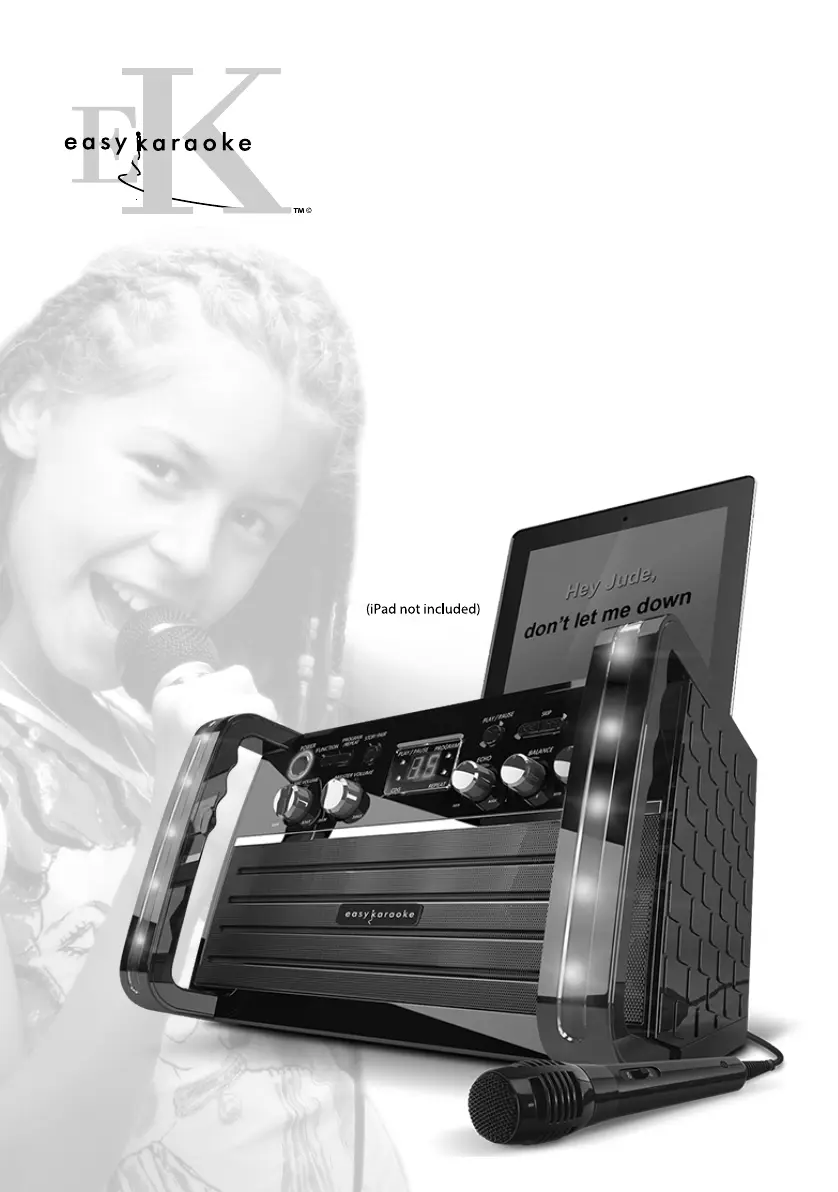
WITH LED DISCO LIGHT EFFECTS, MICROPHONE
TABLET CRADLE AND KARAOKE DEMO DISC
BLUETOOTH CD+G
KARAOKE SYSTEM
148mm
210mm
FOR THOUSANDS OF THE BEST FREE KARAOKE
easykaraoke.com/youtube
SONGS GO TO

Questions and Answers

  • J
    John MolinaAug 15, 2025
    Why is there no sound from my EK Karaoke System when connected to a home stereo?
    • D
      Dawn BlairAug 15, 2025
      If you're not getting any sound when your EK Karaoke System is connected to a home stereo, there are a few things to check: * Make sure the source selection on your stereo is properly set to AUX IN. * Ensure the white and red patch cords are securely inserted into both the karaoke system and the home stereo system.
  • J
    Jim SteinAug 18, 2025
    What to do if there is no sound from TV or PA with my EK Karaoke System?
    • M
      Michelle LopezAug 18, 2025
      If you're experiencing no sound from your TV or PA system when using the EK Karaoke System, try the following: * Increase the volume on the TV or PA system. * Ensure that the TV or PA system is powered on. * Check that the white and red patch cords are securely inserted into both the karaoke system and the TV/ PA system.
  • N
    Norman NelsonAug 21, 2025
    How to fix no sound from mic on EK EKS213-BT Karaoke System?
    • D
      David BryantAug 21, 2025
      If you're not getting any sound from the microphone on your EK Karaoke System: * Adjust the mic volume; turn it up to the maximum level first, then adjust it to a comfortable level. * Make sure the microphone is switched on using the ON/OFF switch located on the microphone.
  • K
    Kevin AlexanderAug 25, 2025
    What to do if the CD player on my EK EKS213-BT doesn't work normally?
    • N
      ncrawfordAug 26, 2025
      If the CD player on your EK Karaoke System isn't working correctly or the LED displays a blank space, there might be a few reasons: * Ensure the disc is inserted correctly (label side up). * If the disc is dirty, wipe it clean with a soft cloth. * If the disc is scratched or warped, try using a new disc. * Make sure you're using a standard disc with the appropriate logo. * If moisture has formed inside the CD deck, wait about 20-30 minutes for it to dry out. * Try resetting the karaoke system by disconnecting it from the power source for 30 seconds, then reconnecting it.
  • M
    Megan SimsAug 28, 2025
    Why is there no power when my EK Karaoke System is plugged in?
    • B
      Blake PerkinsAug 28, 2025
      If your EK Karaoke System isn't powering on when plugged in: * Ensure the power plug is fully inserted into the AC outlet. * Check the connection between the unit and the AC power adapter to make sure it's secure. * Test the AC outlet with another working appliance to confirm it has power.
  • M
    Mitchell RichardsAug 31, 2025
    Why are no song lyrics appearing on the TV screen when using my EK EKS213-BT Karaoke System?
    • W
      watkinschristopherAug 31, 2025
      If you're not seeing song lyrics on the TV screen with your EK Karaoke System: * Check that the video cable is properly connected from the karaoke system’s VIDEO OUT to the TV VIDEO IN. * Make sure the source selector on your TV is set to VIDEO. * If your TV doesn't have a video line input, connect the system's VIDEO OUT to the VIDEO IN on your VCR, or connect to an RF Modulator and then to the TV cable input. * If you're using a CDG disc, ensure it is indeed a CDG.
  • K
    Kathleen CrawfordSep 4, 2025
    What to do if there is no sound from my EK EKS213-BT when audio is going through TV or VCR?
    • Z
      Zachary GonzalezSep 4, 2025
      If you're not getting any sound when the audio from your EK Karaoke System is going through the TV or VCR: * Ensure the source selection on your TV or VCR is correct. * Check that the white and red patch cords are securely inserted into both the karaoke system and the home stereo system.
  • A
    Amanda BaileySep 7, 2025
    Why does my EK EKS213-BT keep resetting when I press any button?
    • S
      Stephanie FernandezSep 7, 2025
      If your EK Karaoke System resets when you press a button, it may be due to electrostatic interference. Turn off the unit, disconnect it from the mains plug, and then reconnect it after a few seconds.
  • S
    stephen08Sep 12, 2025
    Why is my Bluetooth device too low on EK EKS213-BT?
    • L
      Lee MerrittSep 12, 2025
      Increase the volume of your Bluetooth device.

Summary

Precautions and Safety Information

General Precautions

Lists essential safety and handling guidelines to avoid damage or hazards.

Mains Power and Safety

Details on using the AC adapter, electrical safety warnings, and laser safety.

Control Locations and Connections

Top and Back Panel Controls

Identifies all buttons, ports, and indicators on the top and back panels.

Connecting Power and Devices

Instructions for connecting the AC adapter, DC power, and external audio/video devices.

Audio and TV Connections

Guide on connecting to a TV or home stereo system for audio and video output.

Disc Operations and Features

Disc Preparation and Playback

Instructions for preparing discs, turning the unit on/off, loading, and basic playback.

Playback Control and Programming

Details on stopping, skipping tracks, searching, repeating, and programming songs.

Karaoke and Audio Features

Guides on using disco lights, microphones, echo, balance, AVC, and line-in audio.

Energy Saving Function

Explanation of the automatic standby mode for energy conservation.

Bluetooth Operations

Bluetooth Setup and Pairing

Steps to connect your Bluetooth device to the karaoke system.

Playing Music via Bluetooth

How to select and play music from a connected Bluetooth device.

Troubleshooting Common Issues

Specifications and Contact Details

Product Specifications

Technical details including audio output, CD player capabilities, and dimensions.

Contact and Disposal Information

Provides customer support contacts and guidelines for product disposal.

EK EKS213-BT Specifications

General IconGeneral
Audio Section Output power Output impedance5 watt + 5 watt RMS 8 Ohms
Microphone-73 dB 600 OHMS IMPEDANCE WITH Ø 6.3mm DYNAMIC MICROPHONE
Mains Input PowerAC 100-240V ~ 50/60Hz
AccessoriesAV CABLE PRE-RECORDED KARAOKE CD+G DISC DYNAMIC MICROPHONE TABLET CRADLE AC POWER ADAPTOR
Weight and Dimensions IconWeight and Dimensions
Dimensions314W x 192D x 210H mm
Weight2 kg

Related product manuals