Page 6
CONNECTIONS
CONNECTING THE POWER
Plug the supplied AC power adaptor to DC IN jack located on the rear panel of the product and the main power.
STANDBY indicator will light up to half brightness.
CAUTION: The unit is designed to operate from a mains supply of AC 100-240V~50/60Hz.
The supplied AC power adaptor has a polarized plug that fits into the wall outlet only one way.
NOTES: When the unit is not operated by the AC power or unused for long periods of time, please remove the
AC mains plug from the wall outlet and unplug from the main unit.
label located on the rear or base of the unit. If the socket outlets in your home are not suitable for the plug supplied
The mains plug is used as the disconnect
device, the disconnect device shall remain readily operable.
DC OPERATION
1. Lift battery door to reveal battery compartment. Insert six (6) “C” size alkaline batteries (not provided) as
indicated.
2. Replace cover tightly before operating.
3. When not using batteries for a long period of time, remove batteries to prevent leakage in compartment.
Replace all batteries at the same time. Do not mix old batteries with new ones.
IMPORTANT: The AC power adaptor MUST be disconnected from the unit or it will not operate on battery power.
CONNECTING TO YOUR TV OR VCR / DVD PLAYER
Your karaoke machine is designed to connect to your TV the same way you would connect most video cameras,
VCR / DVD players or video games consoles.
We have provided RCA cables to connect your unit to a TV, VCR / DVD player, video device or an external audio
/ sound system. The RCA cables have three connections at each end (white and red are for left and right audio
connections and the yellow is for video connections).
Please follow the steps below to display CD+G lyrics on the TV screen:
1. Locate the multi-coloured RCA cables
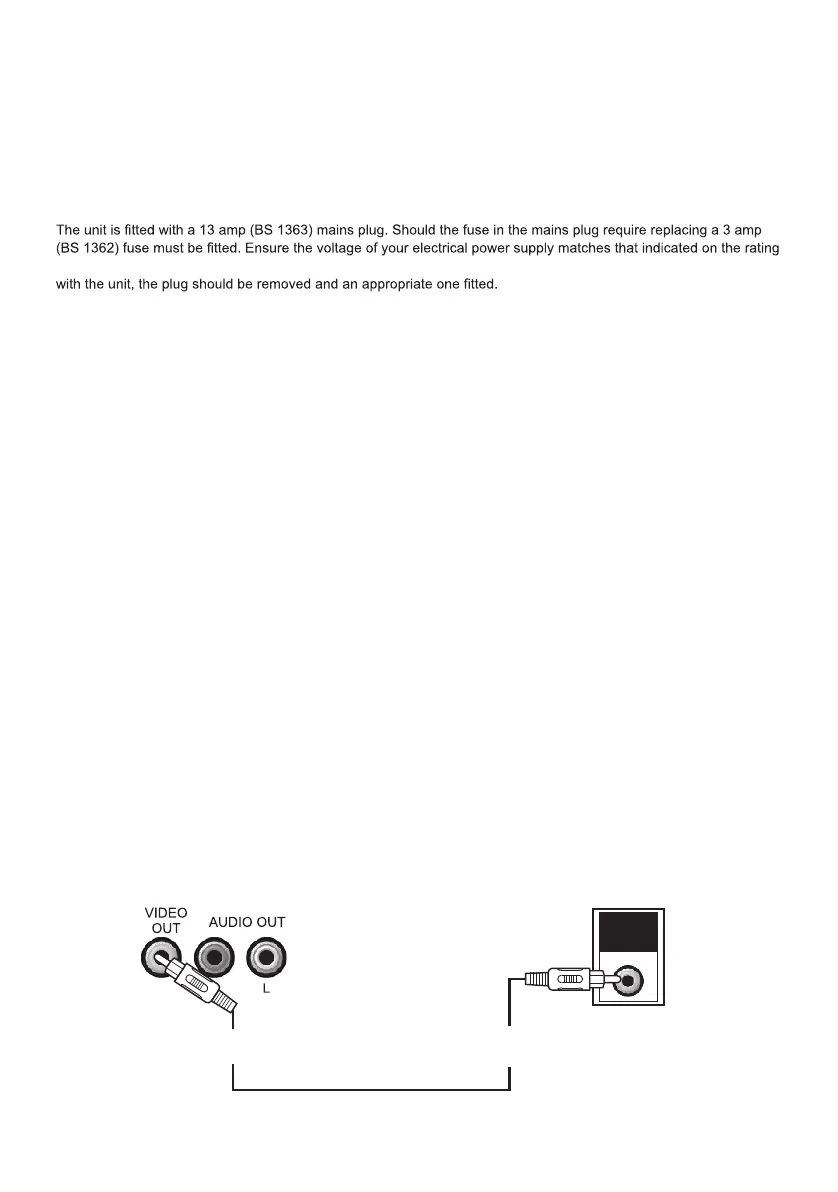
2. Connect video cable (yellow) to the video out of the back of the Karaoke Machine
3. Connect the other end of the video cable (yellow) to the video input on your TV or VCR / DVD player
VIDEO
INPUT
REAR VIEW OF TV
VIDEO INPUT
(Yellow Jack)
REAR VIEW OF
KARAOKE SYSTEM
VIDEO OUTPUT
(Yellow Jack)



 To Next Page