This document is an owner's manual for a ceiling fan, Model F073. It is a 20-inch fan with a weight of 9.58 lbs. The manual provides instructions for installation, wiring, remote control operation, app control, maintenance, and troubleshooting.
Function Description:
The device is a ceiling fan designed to circulate air within a room. It features multiple fan speeds, directional rotation (forward and reverse), a light with adjustable color temperature and brightness, a sleep mode, a night light, and a 2-hour timer. The fan can be controlled via a dedicated remote control or through a smartphone application.
Important Technical Specifications:
- Model: F073
- Size: 20 inches
- Weight: 9.58 lbs
- Control: Remote control and APP control (for iPhone and Android devices)
- Power: Requires connection to an electrical supply circuit.
- Wiring: Must comply with national and local electrical codes (ANSI/NFPA 70).
- Mounting: Designed for both wooden and concrete ceilings.
Usage Features:
Remote Control:
The remote control offers comprehensive control over the fan's functions:
- Light ON/Off: Turns the fan light on or off.
- All Off: Turns off all fan and light functions.
- Forward Rotate: Sets the fan to rotate in the forward direction.
- Reverse Motor: Sets the fan to rotate in the reverse direction.
- 6 Fan Speeds: Allows selection from six different fan speeds.
- Fan Off: Turns the fan motor off.
- Color Temperature Adjust (+/-): Adjusts the color temperature of the light.
- Color Switch: Toggles between different light color temperatures.
- Brightness Dimming (+/-): Adjusts the brightness of the light.
- Sleep Mode: Activates a sleep-friendly mode.
- Natural Wind Mode: Simulates a natural breeze.
- Night Light: Activates a low-level night light.
- 2 Hours Timer: Sets the fan to turn off after two hours.
Remote Control Pairing:
The remote is pre-paired with the fan. If re-pairing is needed:
- Power on the fan.
- Long press the "Pair Code" button on the remote within 5 seconds of powering on the fan.
- The fan light will flash, indicating successful pairing.
APP Control:
The fan can be controlled via a smartphone application available on the iPhone APP Store and Google Play Store for Android devices.
APP Connection Guide (iPhone, similar for Android):
- Download and Register: Scan the provided QR code to download the app and register an account.
- Add Device: Log in, click "+" to add a new device. Users can edit the device name, assign it to a room, and select the device type (e.g., "fan light").
- Enable Bluetooth: If Bluetooth is off, a notification will prompt the user to go to Settings and enable Bluetooth.
- Pairing:
- Power off the fan, then power it on again.
- Press the "Pair" button in the app within 10 seconds of powering on the fan.
- If the fan light flashes 3 times, the pairing is successful.
Installation:
Plate Installation:
The mounting plate can be installed on two types of ceilings:
- For wooden ceiling:
- Drill a pilot hole in the ceiling using power drills.
- Secure the mounting plate with wood screws.
- For concrete ceiling:
- Drill a hole in the base material using a hammer drill and a correctly sized carbide drill bit.
- Clean out all debris from the hole.
- Knock an expansion screw into the hole.
- Tighten the expansion screw with a wrench.
Wiring Preparation:
- Secure Bottom Cap: Rotate the bottom cap to secure it to the blades.
- Secure Side Bolt: Secure the side bolt into the cap with a hexagon wrench to prevent blades from falling or loosening.
- Suspend Fan: Lift the fan towards the ceiling and suspend it from the mounting bracket using the security cable loop and washer hook (J-HOOK). This allows for wiring without holding the fan body.
- Tip: Seek assistance from another person to hold the stepladder and lift the fan.
Wiring:
- Safety Warning: Disconnect the electrical supply circuit before wiring to reduce the risk of electric shock.
- Receiver Unit: Place the receiving unit into the top of the fan body and secure it with electrical tape to prevent movement.
- Wire Connections: Make wire connections according to the provided wire colors (Live/Black, Neutral/White), labels, and diagram.
Mount Fan to Bracket:
- Align Collar: Once wiring is complete, lift the fan body and carefully align the fan collar with the mounting bracket.
- Seat Tabs: Ensure the tabs on the ceiling plate seat into the channel on the inside of the fan collar.
- Align Screw Holes: Rotate the fan so that the set screw holes on the fan body align with the set screw holes on the ceiling plate.
- Avoid Pinching Wires: Take care not to pinch or damage internal wires.
- Insert and Tighten Screws: Insert and firmly tighten two canopy screws from the screw pack.
- Caution: Align the marked L-shaped screw hole on the fan collar to the tab with the red sticker on the mounting plate. Incorrect alignment will prevent the fan body from fitting the plate.
- Note: Do not fully tighten down set screws until all three are partly screwed in.
Maintenance Features:
- Connection Checks: Due to natural fan movement, connections may loosen. Check support connections, brackets, and blade attachments twice a year to ensure they are secure.
- Cleaning: Clean the fan periodically to maintain its appearance.
- Do not use water for cleaning, as it can damage the motor or cause electrical shock.
- Use only a soft brush or lint-free cloth to avoid scratching the finish.
- Avoid cleaning products, as they may damage the finish.
- Lubrication: No oiling is required; the motor has permanently lubricated bearings.
- Coastal/Humid Environments: In coastal or humid environments, regular surface cleaning may be necessary to prevent deterioration or oxidizing effects from salt or corrosive elements. A Damp Location rating does not guarantee finish durability. Preventative measures should be taken based on environmental exposures to preserve finish quality and appearance.
Maintenance Warning:
Before servicing or cleaning the fan, switch off power at the service panel and lock the service disconnecting means to prevent accidental power-on.
Troubleshooting:
Fan makes humming noise:
- Ensure the supplied control set is being used.
- Verify all fittings are firmly secured. Loose parts can cause vibrational noise or humming. Removing and re-attaching parts can sometimes resolve resonant vibrational noise.
Fan not responding to remote control:
- Check all wire connections for security and proper installation.
- Verify power is on and reaching the receiver using a voltmeter.
- Confirm controller batteries are installed with correct polarity.
Fan wobbles:
- Ensure the mounting plate and hardware at the ceiling are secure and firmly fastened. If necessary, use wood screws to further secure the outlet box to the joist.
- Carefully lower the motor housing and verify the mounting plate is secure to the outlet box, and screws are tight.
Light does not work:
- Check wire connections at the ceiling and receiver.
- Confirm that LED wire leads and the terminal block are properly connected to the LED board.
Fan makes repetitive ticking noise:
- Check for obstructions in the rotor path.
- Ensure mounting hardware at the ceiling is secure.
- Verify all other hardware and blade attachments are tight.
- Allow the fan an adequate "Break in Period" of several hours to several days, then repeat the above steps.

 Need help?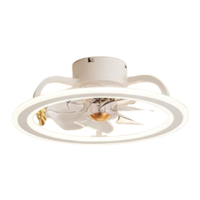

 To Next Page
 General