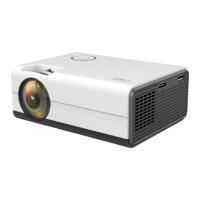
This document is an instruction manual for the EKO K1080P Full HD 1080P Projector.
Function Description:
The EKO K1080P is a Full HD 1080P projector designed to display video and images onto a surface. It offers various input options for connecting different media devices and includes settings for picture, sound, and other options to customize the viewing experience. The projector is suitable for both indoor and outdoor use, with a bonus foldable screen included for outdoor projection.
Important Technical Specifications:
- Resolution: 1920 x 1080 Native Resolution
- Contrast Ratio: 2000:1
- Projection Distance: 1 - 5.9 Metres
- Projection Size: 27" to 200" (inches)
- Lumens: 300 ANSI
- Aspect Ratio: 16:9, 4:3, AUTO
- Multimedia Playback Format (under USB Mode):
- Movie: VOB/MKV/MPG/MP4/MOV/AVI
- Music: MP3/WAV/WMA
- Photo: JPG/GIF/BMP/PNG
- Power Source: 100-240V ~ 50/60Hz
- Power Consumption: 100W
- USB Power Output: 5V max. 500mA
- Dimensions: 242 (w) x 196 (d) × 96 (h) mm
- Weight:
- Net: 1.55 kg
- Gross: 2.8 kg
Usage Features:
Product Overview (Top View):
The top of the projector features controls for:
- Focus: Adjusts the clarity of the projected image.
- Zoom: Adjusts the size of the projected image.
- Indicator: Status light.
- Return: Navigates back in menus.
- OK: Confirms selections.
- Input Source: Selects the desired input.
- On/Off: Powers the projector on or off.
- Directional Controls: Move Left, Move Right, Move Up, Move Down for menu navigation.
Product Overview (Rear View - Ports):
The rear of the projector provides various connectivity options:
- AV Input Port: For connecting devices using an AV cable.
- Audio Output Port: For connecting external audio systems.
- USB 5V Out: Provides 5V power output via USB.
- USB-T (USB Type-A): For connecting USB storage devices.
- HD (HDMI): For connecting devices via HDMI.
- VGA: For connecting devices via VGA.
- Heat Dissipation Window: Important for ventilation; should not be blocked.
Remote Control:
A remote control (batteries not included) is provided for convenient operation from a distance (effective range 5 to 6M). Remote control functions include:
- Power Switch: Turns the projector on/off.
- Input Source: Selects input.
- Menu: Accesses the main menu.
- OK: Confirms selections.
- Directional Controls: Move Left, Right, Up, Down for navigation.
- Return: Navigates back.
- Volume Down/Up: Adjusts audio volume.
- Mute: Mutes/unmutes audio.
First Time Setup:
- Placement: Place the projector on a flat, stable, and level surface to ensure a straight projection.
- Power Connection: Plug the power cord into the projector.
- Power On: Press the power button to turn on the projector.
- Connect Device: Connect a support device (e.g., laptop, media player) to the projector's HD (HDMI) port using an HDMI cable, or other available ports like AV or USB.
- Adjust Image: Use the keystone correction ring and focus ring to achieve the best image performance.
- Keystone Correction: Adjusts for trapezoidal distortion if the projector is not perfectly perpendicular to the screen.
- Focus Ring: Sharpens the image if it appears blurred.
- Select Input Source: Choose the appropriate input source from the menu.
- Power Off: Press the power button twice to turn off the projector.
Installation:
The projector can be placed on a horizontal surface or attached to a hanging bracket (bracket not supplied).
Adjusting Focal Length:
- Keystone Correction Ring: Used to correct keystone distortion (trapezoidal image).
- Focusing Ring: Used to sharpen a blurred image.
- If adjustments are insufficient, reposition the projector closer or further from the screen.
Bonus Foldable Screen:
A 120" foldable screen is included, recommended for outdoor use. Hooks/hanging devices are not included.
Home Dashboard:
Upon powering on, the home dashboard appears, allowing users to select inputs (USB, HDMI, AV, VGA) and access media options (Movie, Music, Photo, Text) and menu settings.
Settings:
- Picture Settings:
- Picture Mode: Standard, and other modes (not specified).
- Color Temperature: Medium, and other options (not specified) to adjust color warmth.
- Aspect Ratio: 16:9, 4:3, AUTO.
- Projection Mode: Front, Rear, Ceiling Front, Ceiling Rear (for different mounting orientations).
- Zoom: 100, and other values (not specified) to adjust image size.
- Sound Settings:
- Music Mode: Standard, and other modes (not specified).
- Surround Sound: On/Off.
- Option Settings:
- OSD Language: English (default), Chinese.
- OSD Time: 30 S, and other values (not specified) for on-screen display duration.
- Software Update (USB): Allows firmware updates via a USB storage device (firmware must be provided by the distributor).
- Restore Factory Default: Resets projector settings to factory defaults.
- Version: Displays the current software version (e.g., V53820210505).
- Time Settings:
- Sleep Timer: Sets a timer for the projector to automatically turn off.
Maintenance Features:
- Electrical Safety:
- Do not open the unit; risk of electric shock. Servicing by qualified personnel only.
- Ensure outlet voltage matches product rating.
- Do not use damaged power cords, plugs, or loose outlets.
- Avoid plugging multiple devices into one outlet.
- Do not bend, twist, kink, or place objects on the power cord.
- Keep power cord away from heat-producing appliances.
- Unplug during lightning storms or long periods of disuse.
- Disconnect power cord when moving the unit.
- Environmental Safety:
- Do not expose to rain, moisture, splashing, or water contact.
- Do not place objects filled with liquids (e.g., vases) on top.
- Do not place small metallic objects on top.
- Keep away from direct sunlight, heaters, and heat sources.
- Ensure the installation area is well-ventilated, not wet or damp.
- Protect from excessive dust and grease.
- Do not install in confined spaces like bookcases.
- Do not use or store flammable or combustible materials near the unit.
- Do not place naked flame sources (candles, cigarettes, incense sticks) on top.
- Product Handling:
- Do not tamper, change, or modify the product.
- Use only manufacturer-recommended accessories.
- Ensure the product is supported by safe furniture and not overhanging edges.
- Do not place on high furniture without securing both furniture and product.
- Do not place on cloth or other conductive materials.
- Do not cover ventilation openings; this can cause overheating and permanent damage.
- If unusual odors or smoke are noticed, disconnect from the outlet and contact service.
- Cleaning:
- Do not use chemical or wet cleaning agents.
- Use a dry cloth to wipe down marks or dust after unplugging.
- Eye Safety:
- CAUTION: DO NOT look directly into the Project LENS when turned on. This can cause eye damage.
- Keep the projector out of reach of children and babies to prevent them from looking into the lens.
- Battery Safety (Remote Control):
- Do not mix old and new batteries or different types of batteries.
- Remove batteries if not using the unit for a long time.
- Keep batteries away from children and pets; seek medical attention if swallowed.
- Do not throw batteries into fire.
- Avoid dropping or impacting the remote control.
- Do not expose the remote control sensor to bright light.
- Customer Support: Contact
help@eko-entertainment.com.au for repair or service.

 Need help?

 To Next Page
 General