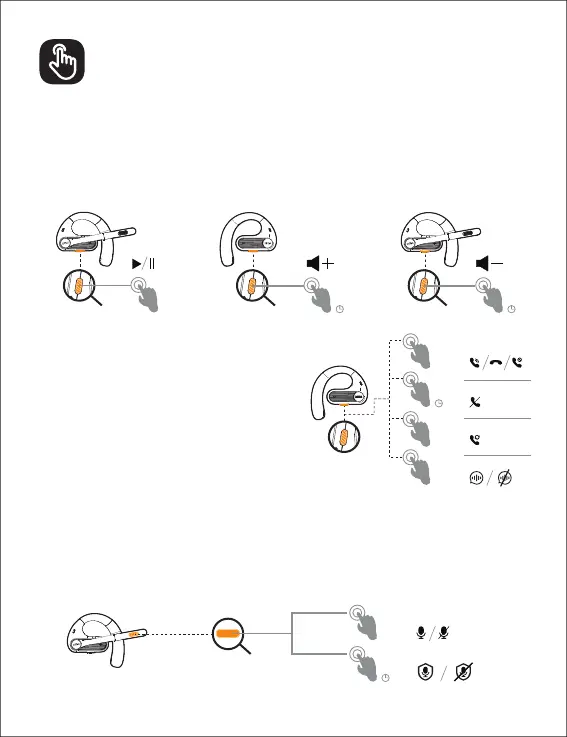
When playing music:
1. Click, music pause/play
2. Press and hold the R side for 1S, the volume will increase (beep); press and hold the L
side for 1S, the volume will decrease (beep).
Note: No function operates when used with one ear.
When making a phone call:
1. Click the L/R button to answer the call.
2. Click L/R button to hang up the call
3. Click L/R button to cancel the call.
4. Long press L/R button for 2 seconds to reject
the call.
5.
6.
assistant
Microphone buttons:
1. Click, turn on\off microphone
2. Press and hold for 2 seconds to turn on/off the call privacy mode.
Note: When you hang up the phone, it will automatically turn off the call privacy
mode and the volume will return to normal.
3
x1
x1
x1
x3
x2
1″1″
2″
2″
L/R
Earbuds Controls


 To Next Page