ELAC Cinema 5.2 Speakers | www.elac.com | Page 8
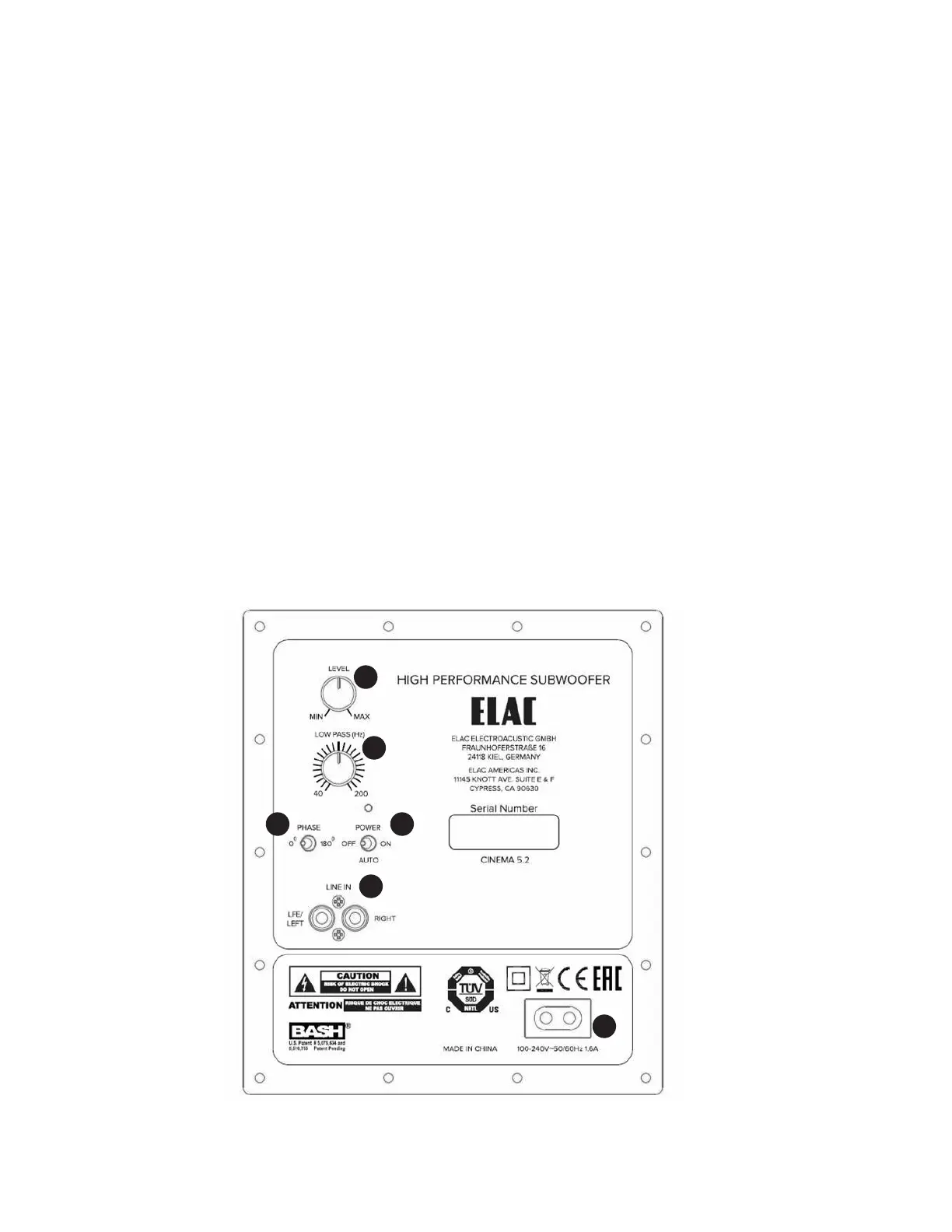
Controls and Indicators
1. Level — This control allows you to adjust the output of the subwoofer. The level should be adjusted so that it
properly blends with the rest of your audio system.
2. Low pass (Hz) — This control adjust the crossover frequency or low-pass filter of the subwoofer. We suggest
setting the subwoofer crossover frequency to 200 Hz.
3. Phase — The phase switch allows you to invert the polarity (180 degrees) of the subwoofer to match the
polarity of your main speakers and help blend the subwoofer signal.
4. Power — The power switch allows you to change the power mode of the subwoofer between “On” (Always
on), “O” (Always O), or “Auto” which will automatically sense if an audio signal is present to turn the
subwoofer on. After several minutes of inactivity the subwoofer will switch to standby mode to conserve power.
5. Line In — These line level inputs are used to connect the subwoofer to your pre-amp/AV receiver. When
connecting to an AV Receiver with a single Subwoofer/LFE output, connect the RCA cable (not supplied) to the
Left input. If you are connecting your subwoofer to a pre-amp or stereo system without a dedicated subwoofer
output connect both the Left/Right inputs using stereo RCA cables (not included) to the stereo pre-outs on your
pre-amp.
6. AC Inlet — Use the supplied power cord to connect the subwoofer to an available AC outlet.
1
2
3 4
5
6


 To Next Page