Page 3 of 7
HOW TO PROGRAM TWN4 READER TO ACCEPT
CONFIGURATION CARDS
Readers with firmware versions earlier than 3.04 are not able to understand TWN4 CONFIG Cards and must
be upgraded.
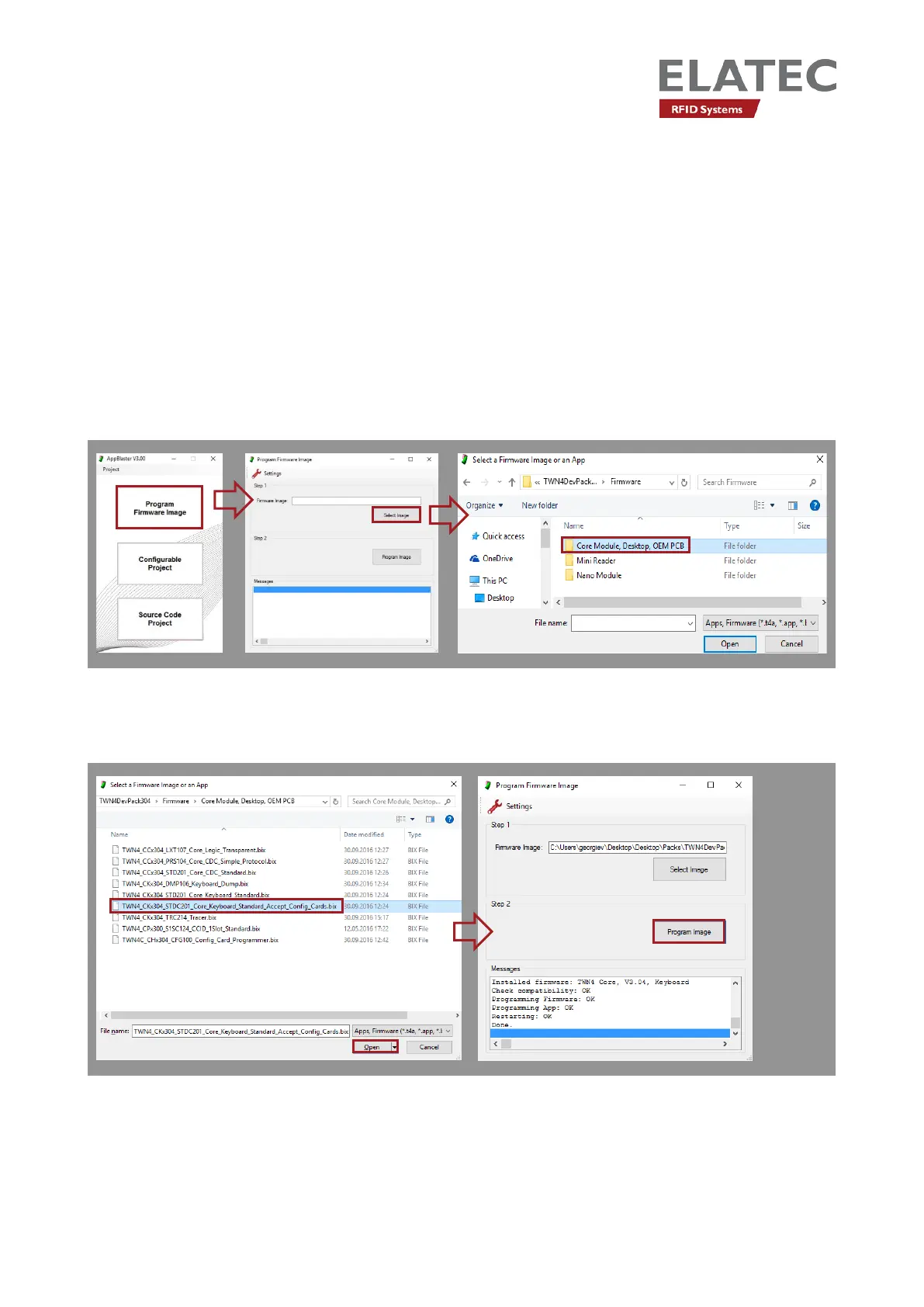
Connect a compatible RFID reader to the host (i.e. PC). Open AppBlaster and click “Program Firmware
Image”. Select the firmware image
TWN4_CKx304_STD201_Core_Keyboard_Standard_Accept_Config_Cards.bix and select “Open”.
Next click “Program Image” to load the firmware onto the reader.


 To Next Page