Using you d yer
4oSelecting a cycle
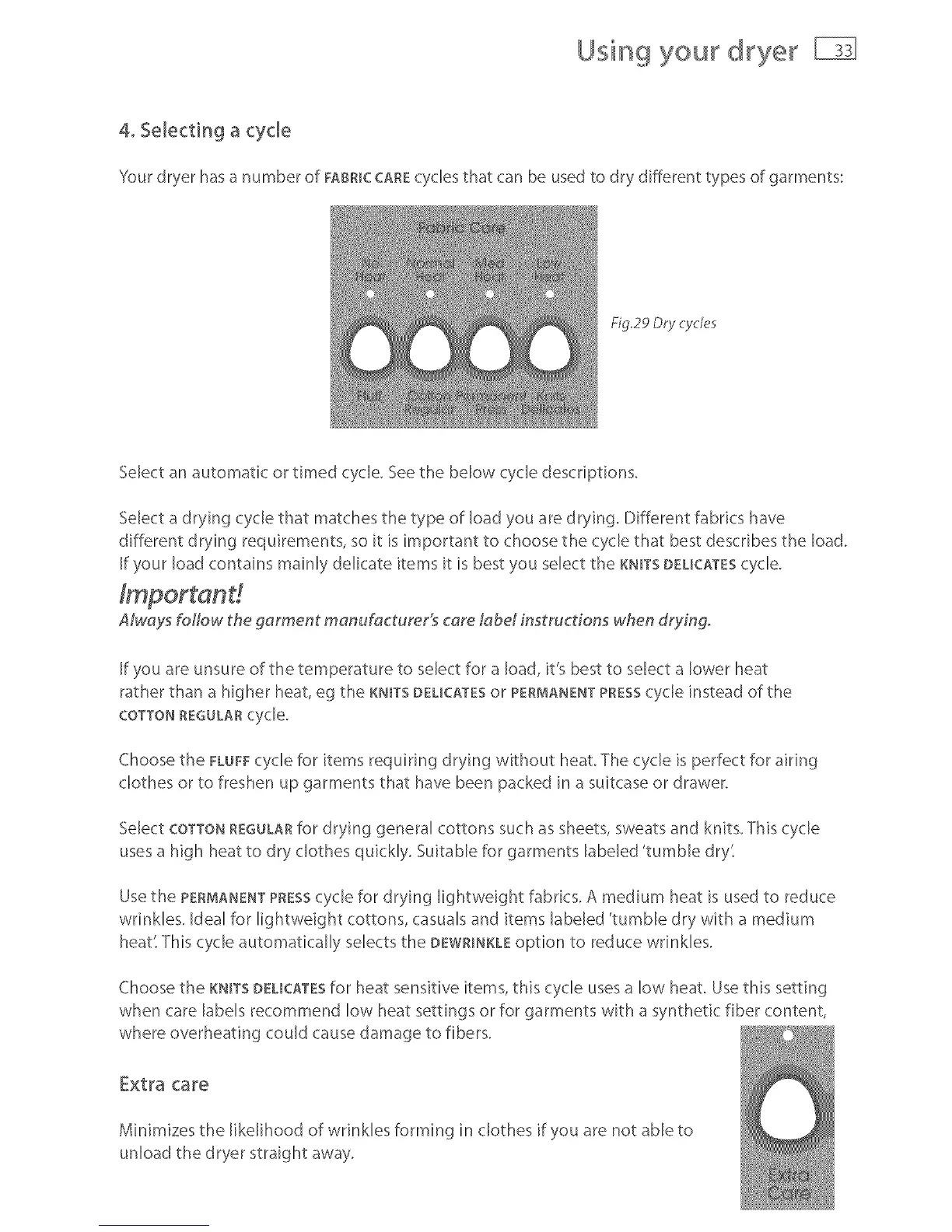
Yourdryer hasa numberof FABmCCAREcyclesthat canbeusedto dr;,,differenttypesof garments:
Fig29 Dr}' cycle5
Select an automatic or timed cycle. See the below cycle descriptions.
Select a drying cycle that matches the type of bad you are drying. Different fabrics have
different drying requirements, so it is important to choose the cycle that best describes the load.
[f your load contains mainly delicate items it is best you select the KNmTSDEL[CATEScycle.
AMays t\ollow the garment manufacturer's care labd instructions when &yingo
[f you are unsure of the temperature to select for a load, it's best to select a lower heat
rather than a higher heat, eg the KNITS DELICATESor PERMANENTPRESScycle instead of the
COTTONREGULARcycle.
Choose the FLUFFcycle for items requiring drying without heat. The cycle is perfect for airing
clothes or to freshen up garments that have been packed in a suitcase or drawer.
Select COTTONREGULARfor drying genera[ cottons such as sheets,sweats and knits. Thiscycle
usesa high heat to dry clothes quickly. Suitable for garments labeled 'tumble dry"
Use the PERMANENTPRESScycle for drying lightweight fabrics. A medium heat is used to reduce
wrinkles. Ideal for lightweight cottons, casuals and items labeled 'tumble dry with a medium
heat' This cycle automatically selects the DEWR_NKLEoption to reduce wrinkles.
Choose the KNITSDELICATESfor heat sensitive items, this cycle uses a low heat. Use this setting
when care labels recommend low heat settings or for garments with a synthetic fiber content,
where overheating could cause damage to fibers.
Extra care
Minimizes the likelihood of wrinkles forming in clothes if you are not able to
unload the dryer straight away.



 To Next Page