11
Water Levels
Manual water level selection
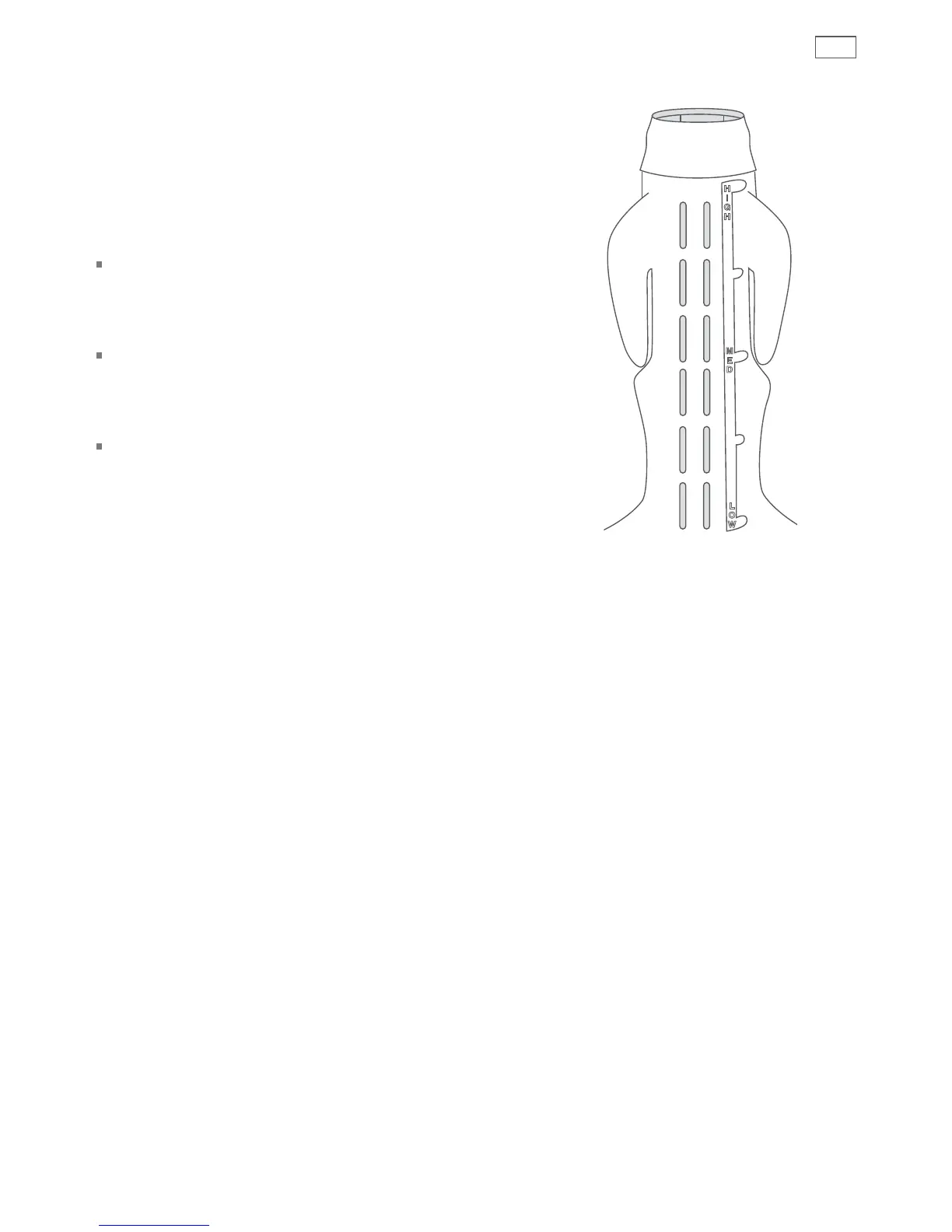
The agitator has 5 levels marked on its stem
that can be used to help you select the correct
water level. Select the correct water level by
using the mark nearest to the top of the load.
The levels marked on the agitator do not
correspond exactly to the level of the water.
They indicate the level of dry clothes suitable
for the water level.
Your Smart Drive™ may occasionally add water
during agitation. This is to maintain the water
level due to the release of air trapped in the
garments.
Out of balance loads, tangling or splash-over
can be caused by selecting a water level that is
too high.
Fig.13 Water level guide on agitator


 To Next Page