18
Changing pre-set options
1
Press
START/PAUSE and hold down. Press POWER.
2
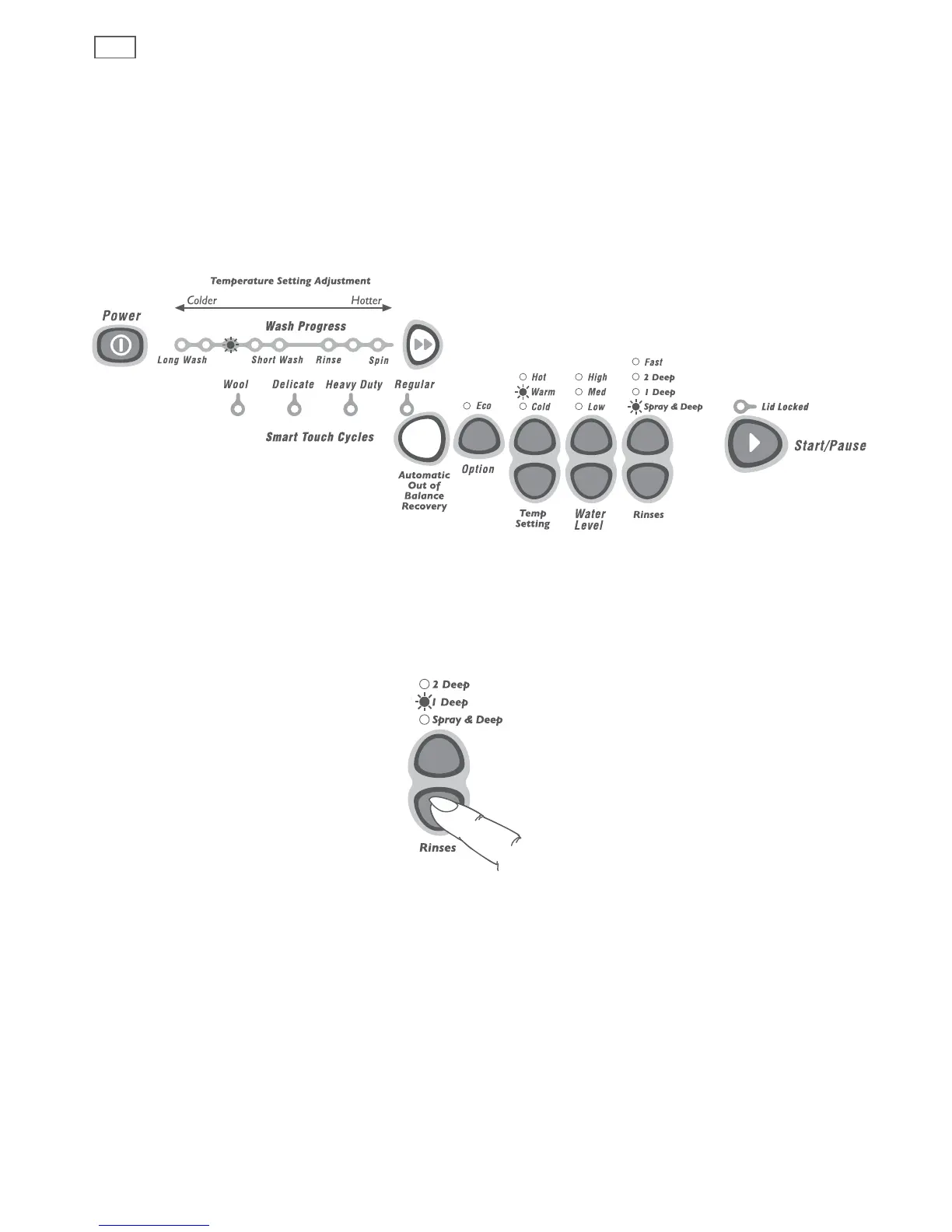
The diagram below shows how the lights relate to the options you can change. It also shows
what lights will be on when you first enter the Option Adjustment mode.
Use this diagram to help you adjust the options:
3
Use the buttons on the panel to change the pre-set options.
Fig.19 Option Adjustment mode options
Fig.20 Modifying pre-set options


 To Next Page