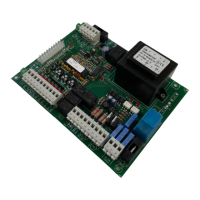
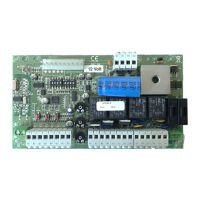
Input Pedestrian (N.O. contact); It opens only the leaf of M1.
Input Start (N.O. contact); step by step feature (open
ntact) it always stops the motors. If the contact is used during the pause, it cancels the
automatic shutting.
Input photocells (N.C. contact) working only when gate is closing (it stops and re
Input photocells working when gates is open
ing/closing (N.C. contact). While opening the gate stops and
then re-start; while closing the gate stops and reverses.
Input safety edge (N.C. contact) working both in opening/closing. While opening it stops and reverses for
10cm. While closing it stops and reverses completely.
for photocells power supply (9 negative, 10 positive).
Dip 2 SW2 ON Indicator of gate movement (11 negative, 12
positive).
ashing light (13 negative, 14 positive).
for accessories (15 positive, 16 negative).
Output 24Vdc for Motor 1 (max 3A)
Output 24Vdc for Motor 2 (max 3A).
Control panel power supply 24 V
output of the toroidal transformer.
Input main power supply 230 V
Main transformer (toroidal 230V
Back up battery input (27 positive, 28 negative).
Input antenna for onboard receiver (33 coaxial wire, 34 shield).
Jumper to get an additional feature in terms of powerful; with jumper, more power
power.
P.S.: This control panel is delivered with all N.C. outputs wired (stop, safety edge, photocells, photocells open). If you want
to use one of those outputs, cut the wire and do the connection accordingly.
It shows the output Pedestrian (normally switched off).
(normally switched on, and if the photocells is engaged it switched off).


 To Next Page
 Loading...