ELDES GATE CONTROLLER ESIM320-2G/ESIM320 V1.142 EN
SMS CONFIGURATION
User/Admin ESIM320-2G/ESIM320
SMS
iOS
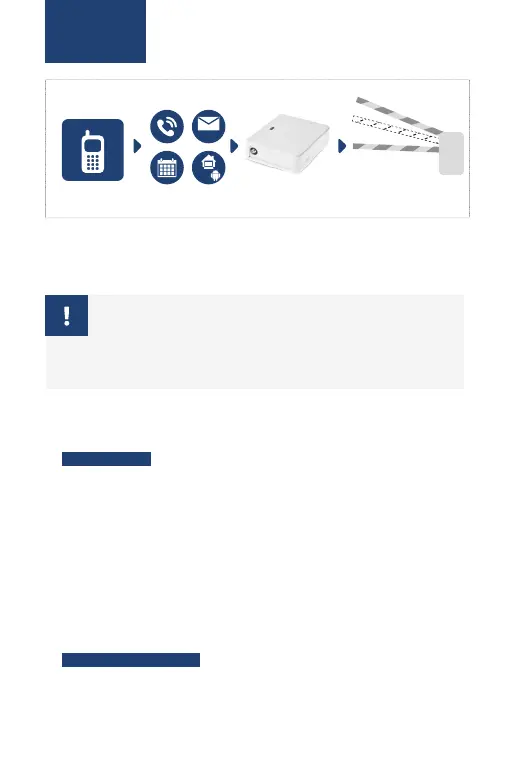
The system supports a large number of funcions that can be easily con-
igured using a personal computer with installed Eldes Coniguraion Tool
sotware and Eldes Cloud web interface. This secion covers just the basic
system coniguraion using the SMS text messages.
!!! Make sure you don’t leave any spaces at the beginning or end of
the message. If you receive the message “wrong syntax”, please
check your message and try again.
1. Change the SMS password. Please change the default SMS password
(0000) to any other 4-digit password (Device will not reply to any of SMS
messages unil SMS password is changed!):
0000 PSW ssss
Value: ssss – new 4-digit SMS password.
Example: 0000 PSW 2568
2. Set administrator phone number. The system supports up to 5 admin-
istrator phone numbers that are permited to conigure and control the
gates by free of charge phone call (drop-call) and SMS text messages.
Ater seing up the irst administrator (NR 1) phone number, the sys-
tem will authorize to perform further system coniguraion by SMS text
messages. To do so, please send the following command to the system’s
phone number from your mobile phone (using the device without en-
tered administrator number is forbidden!):
ssss NRn:44170111XXXX1
EN


 To Next Page