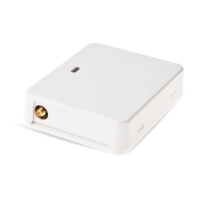
ELDES GATE CONTROLLER ESIM320-2G/ESIM320 V1.1
EN 45
Value: ssss - 4-digit SMS password, vvvvvvv – user name.
Example: 2568 D:John
Before using the command that allows to remove the user by
name, you must ensure that the user phone number has a name
set up (ssss N:nnnnnnnnnnn:vvvvvvv). Please refer to step 6 or
ELDES Configuration Tool sotware.
In order to remove muliple users simultaneously (up to 9 phone
numbers per single SMS text message), please refer to the
following example: 2568 D:John 44170911XXXX9 Tom
8. User phone number list. In order to receive an SMS text message con-
taining the list of all added user phone numbers, send the following
command to the system’s phone number from the administrator’s phone
number:
ssss GETALLNUMBERS
Value: ssss - 4-digit SMS password
Example: 2568 GETALLNUMBERS
Based on the quanity of users added in the database, the system
might reply with several to dozens of diferent SMS text messages.
9. System informaion. In order to view system date and ime, signal
strength, free and available space in the user database, input state
(ALARM/OK), send the following command to the system’s phone num-
ber from other administrator’s phone number:
ssss INFO
Value: ssss – 4-digit SMS password.
Example: 2568 INFO


 To Next Page