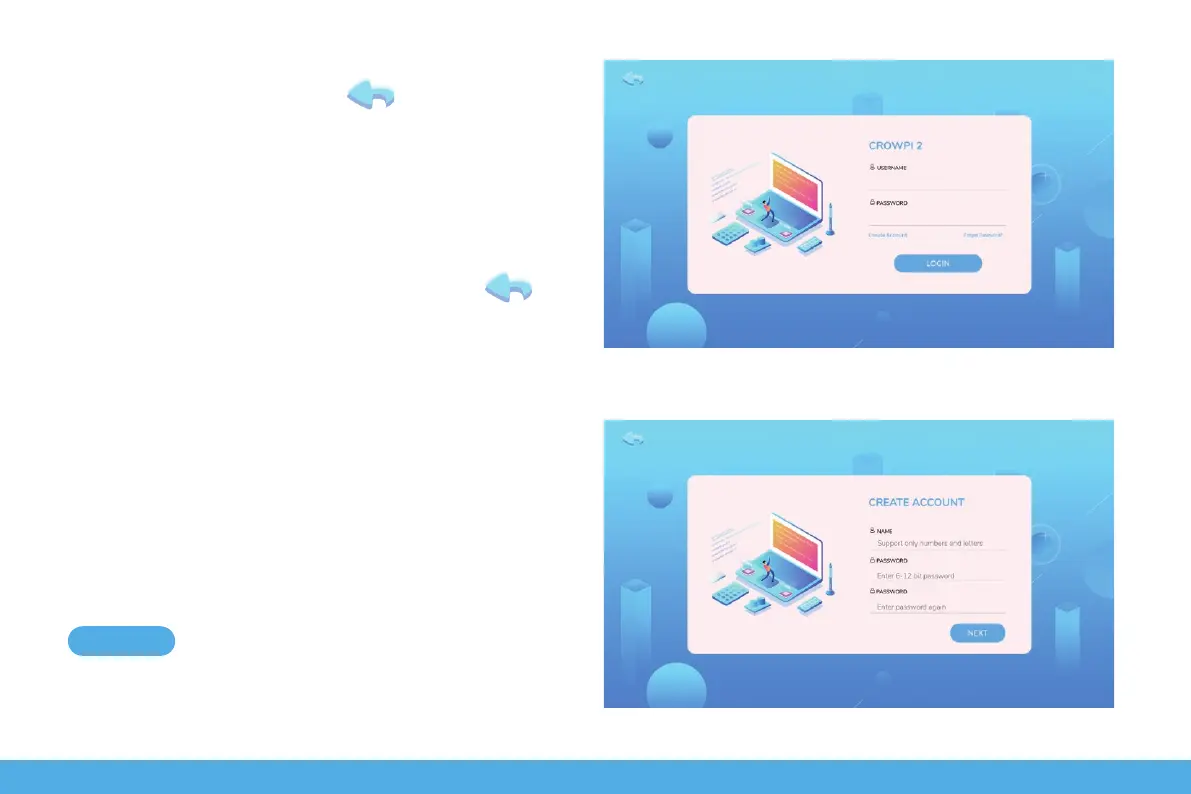
Create and login accounts
Enter account login page, click go back to the
previous step.
The first time you use the software you need to register a
new account.
Click Create Account to create a new user account. Then
go to the page shown in the image below, click back
to the previous step.
Enter Name, only support numbers and letters.
Enter Password, limit the number of characters to 6-12 bits
Reconfirm the password entered in the second step, Click
NEXT
15


 To Next Page