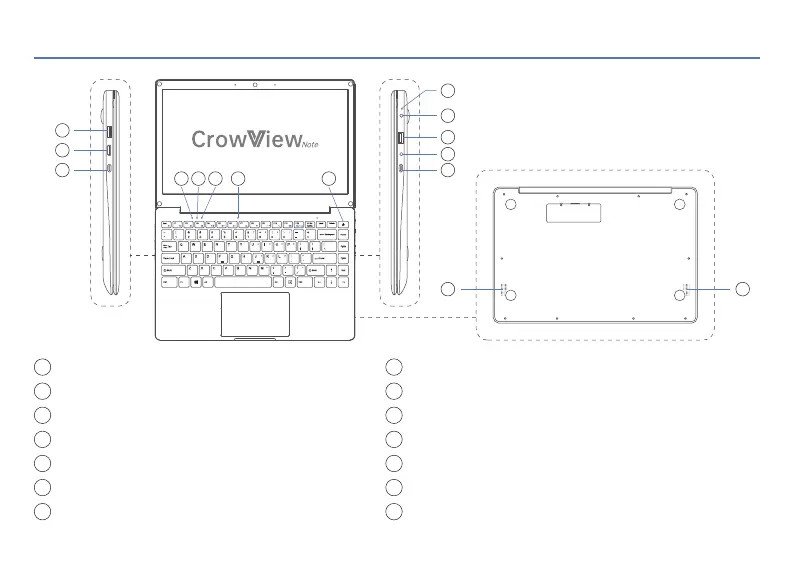
USB-A: Connect the master device
Mini HD: Transmit the signal
Type-C: Power supply (PD 5V/5A Output)
Status Indicator: Keep white during operation
Caps Lock Indicator: Keep white when using Caps
Num Lock Indicator: Keep white when using Num
Microphone
1
2
3
4
5
6
7
02 Interface
Power Button: Short press to power on, long press to power off
Power Indicator: Keep red during charging
DC 3.5mm Interface: Power supply (12V/4A Input)
USB-A: Connect the peripherals
Headphone Jack
Type-C: Full-featured (5V/3A Output)
Speakers
8
9
10
11
12
13
14
8
9
10
11
12
13
14 14
1
2
3
4 5 6 7
OSD
Signal
< 2 >


 To Next Page