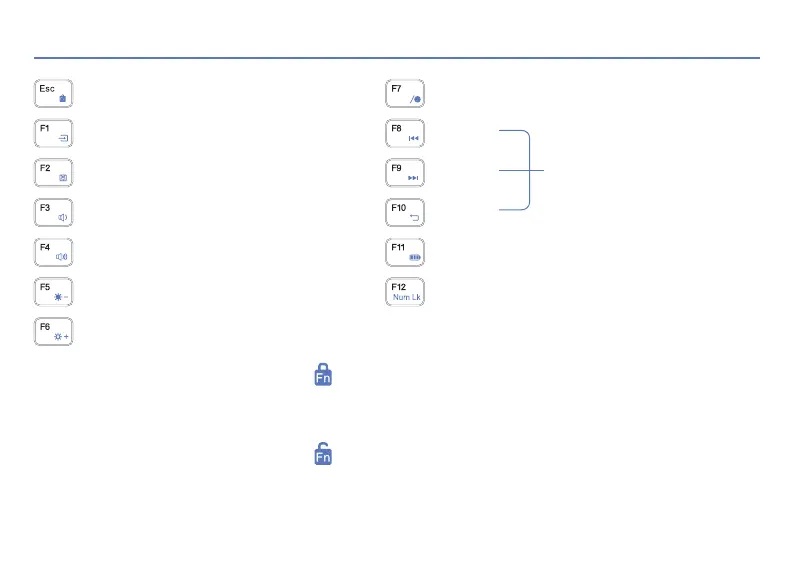
When Fn+Esc is pressed and the screen appears , which indicates that the Fn shortcut key function is disabled.
In this case, we can use the traditional functions of F1~F12. To use the shortcut function of F1~F12, please press Fn+F1~F12.
For example, if you press Fn+F4, the volume will be amplified.
When Fn+Esc is pressed and the screen appears , which indicates that the Fn shortcut key function is available.
In this case, we can use the shortcut functions of F1~F12. For example, if you press F4, the volume will be amplified.
To use the traditional function of F1~F12, please press Fn+F1~F12
OSD Mode
Esc
Switch signal
Touchpad on/off
Volume -
Volume +
Bcaklight -
Backlight +
OSD and set up
Up
Down
Back
Battery
Num lock/unlock
03 Keyboard Shortcuts
OSD
Signal
< 3 >



 To Next Page