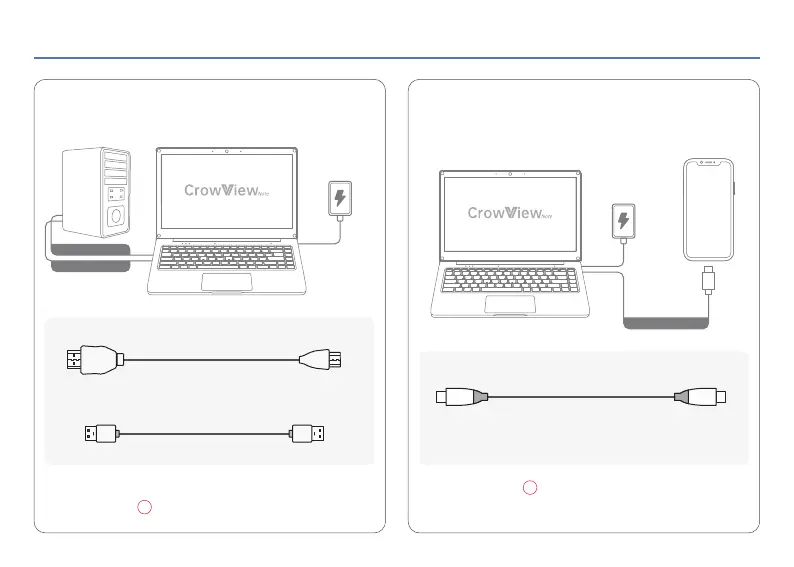
Compatible with devices with HD interface Compatible with devices with
Type-C (Full-featured) interface
Note: If you want to use the CrowView Note keyboard and touchpad,
please connect the USB-A port.
Note: Please connect Type-C (Full-featured) interface.
04 Connecting
1
13
HD to Mini HD Cable
Type-C to Type-C Cable
Please use a cable that can support full-featured,
such as USB 3.1 Gen 2 Type-C Cable.
Power Supply
USB-A to USB-A Cable
Power Supply
USB-A to USB-A
HD to Mini HD
Type-C to Type-C
< 4 >


 To Next Page