9
Controls - Driving Controls/Accelerator
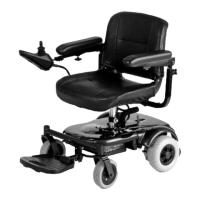
Joystick control - To operate, turn on the ignition.
Firstly make sure your wrist is supported on the armrests. If it is not supported, a jolt may cause a movement of the
joystick and an involuntary change in direction or speed. Find an open level area with no obstructions to practice
controlling the vehicle until you are confident that you can drive safely. Note. The controls can be changed to the other
a
rm for customers with a left-hand bias. Please contact your local dealer for information.
Going Forward or Backwards: Gently push the joystick away from you and your Powerchair will move
forward, pull it backwards and it will move backwards. Release pressure on the stick and the vehicle will stop.
The further you move the stick the faster you will go.
Turning Left or Right: Push the joystick to the right and your Powerchair will move right, move the joystick to
the left and the Powerchair will go left. Practice turning while in gentle forward motion to familiarise yourself
with driving the vehicle.
Braking: Whenever the joystick is in the central position, the automatic brake will operate. Practice stopping
on level ground to ensure that you know how quickly you can expect your Powerchair will come to a stop.
Sleep Mode: With the power on, if you do not operate the joystick for a while, then the controller will go into
“sleep mode” to preserve the batteries. Any button press or joystick movement will re-activate the controller
and you can then drive normally.
Joystick Disabling during Start-Up: To prevent sudden unexpected movements, the joystick is disabled
during start-up. If the joystick is operated when the power button is pressed, the lamps will flash slowly. By
centring the joystick this indication will stop and the joystick will operate normally.
Note: The controller has a diagnostic mode. The lamps will flash to indicate that the controller has detected an
error or fault. If this happens refer to the diagnostic table at the back of this manual, unless it is simply the
result of the joystick not being central at start up, which can be cleared as above.
Locking Your Vehicle for Security. This powerchair controller is equipped with a keyless lock feature which
can be used to restrict use by unauthorised individuals.
To Lock
• Turn ‘ON’ power (depress and release power button).
• Depress and hold the power button. After a second the controller will beep. Release the power button
after the beep.
• Push the joystick forward until the controller beeps.
• Pull the joystick backward until the controller beeps.
• Release the joystick (there will now be a long beep - the powerchair is now locked).
To Unlock
• Turn ‘ON’ power (depress and release the power button).
• Push the joystick forward until the controller beeps.
• Pull the joystick backward until the controller beeps.
• Release the joystick (there will now be a long beep - the powerchair is now unlocked).
Ask your dealer to demonstrate all these functions and make sure you can operate all the modes of the
controller before you take your vehicle home.


 To Next Page