6
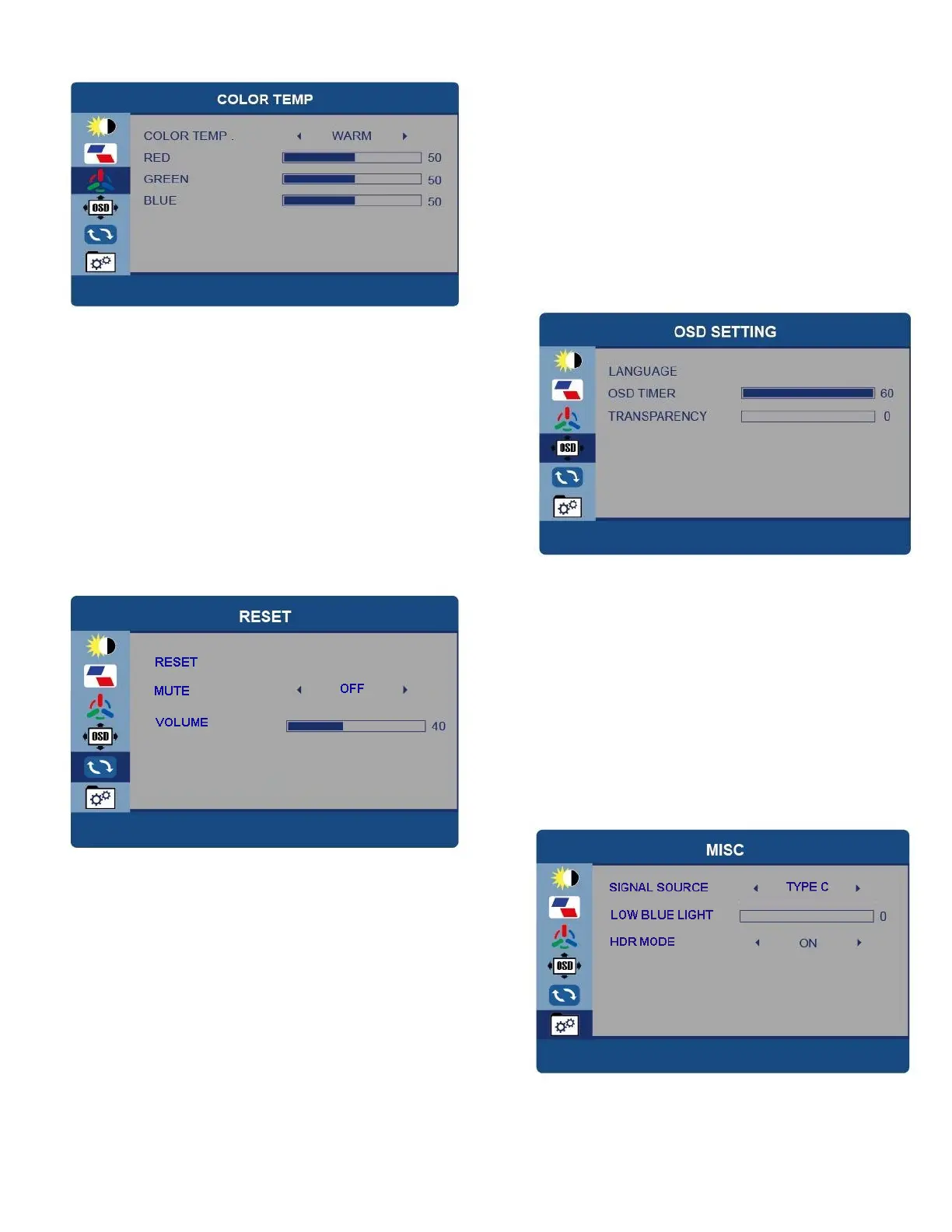
COLOR TEMP
COLOUR TEMP – Change between
USER, WARM and COOL. In USER the
individual RED, GREEN and BLUE values
can be adjusted.
OSD SETTING
LANGUAGE – Change the language of the
Menus.
OSD TIMER – Adjust the amount of time the
menu is shown before the display returns to
normal operation.
TRANSPARANCY – Adjust how see through the
menus are.
RESET
RESET – Return the portable display to
factory settings.
MUTE – Turn the sound On or Off
Volume – Adjust the volume level between
0 and 100.
MISC
SIGNAL SOURCE – Change the signal source
between USB Type C and HDMI.
LOW BLUE LIGHT – Adjust the filtering of blue
light from the screen.
HDR MODE (High Dynamic Range) – Change
between On, Auto and Off.


 To Next Page